
2.8 Mathematics: Can the Machine Actually Calculate?
A First Encounter with AI in the Primary Maths Classroom - Speech Recognition with the „Recheneule“
Subject: Mathematics (Mathematik) · Grade: 2 (age 7–8) · Duration: 1 lesson (50 min) · AI: Learning ABOUT AI
Real-school example: This exemplar is modelled on the documented practice of the Volksschule Hagenberg im Mühlkreis (Upper Austria), an official KI-Pilotschule of the Austrian Federal Ministry of Education. From the second grade, its teachers introduce AI playfully to prepare children for its chances and risks (director Martina Ketterer-Hager). A central element is the digicase / DLPL project, in which children practise algorithmic thinking - including the maths speech-recognition game „Die schlaue Recheneule“, developed with the PH Linz. This lesson builds one class period around that real tool. It aligns with the Ministry’s KI-Initiative and the four-direction compass Verstehen, Anwenden, Reflektieren, Mitgestalten.
|
AI-related competencies (DUAL.AI.TEACHer Framework) – teacher level |
Subject-specific learning objectives – student / learner level |
|
AF-FC-1a (AI foundations and applications × Facilitating Learners’ AI Digital Competence, Level 1 – Orientational Awareness): “Teachers can summarise the core concepts of AI that learners should understand, including age-appropriate examples.” AF-FC-1b (Level 1 – Orientational Awareness): “Teachers can recognise the technical limits of current AI systems that learners need to grasp.” |
By the end of the lesson, students can: • say in simple words that the „Recheneule“ is a computer program that tries to hear their spoken number, and that it is not a person and does not always understand; • solve simple addition and subtraction tasks aloud with the tool and read off whether the computer heard the right number; • notice and name at least one thing that makes the AI hear better or worse (speaking clearly, being close to the microphone, a quiet room); • check the computer: when the owl shows a wrong number, work out the correct answer themselves and say whether the child or the computer made the mistake. |
Take-home message: Children don’t just use the tool - they watch it. By doing their sums out loud with the „Recheneule“ and seeing when it hears the right number and when it gets confused, second-graders make their very first discovery about AI: it is a helpful but imperfect machine, and the child is still the one who knows the right answer. This lays the foundation for a lifelong habit of checking, not just trusting.
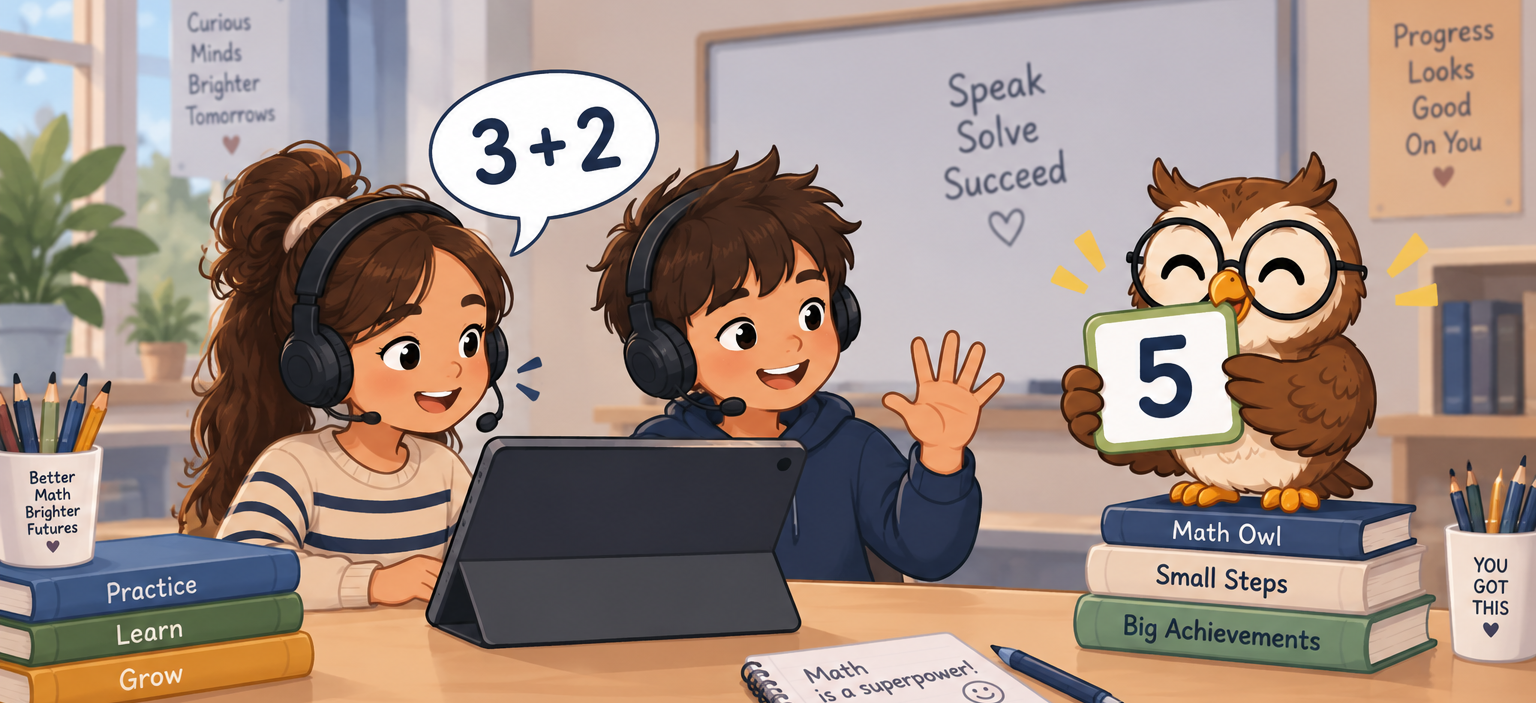
Fig #. Image generated with ChatGPT (GPT Image 2), September 8, 2026.
Content
Young children meet artificial intelligence long before they can explain it: voice assistants at home, cameras that find faces, apps that finish their sentences. The Austrian KI-Basiscurriculum and the Ministry’s KI-Initiative both stress that AI literacy should begin early and playfully, and that it belongs as much in the primary classroom as in later grades. The Volksschule Hagenberg im Mühlkreis, a KI-Pilotschule, does exactly this: from the second grade its teachers introduce AI through games, with the digicase / DLPL project at the centre, so that children build a first, concrete sense of what these machines can and cannot do.
The „Recheneule“ (the “clever calculating owl”) is one of these games, and it fits the maths lesson perfectly. It uses speech recognition - a form of AI - o that a child can say a number out loud and the program tries to recognise it and use it in a calculation. The tool is deliberately simple and, as its makers note, still experimental: whether it hears correctly depends on the microphone, how clearly the child speaks, and how quiet the room is. For a seven-year-old this is not a flaw to hide but the whole lesson. When the owl shows the wrong number, the child can see with their own eyes that the clever machine did not understand — and that they, the child, still know that three plus four is seven.
This is what makes the tool valuable for teaching ABOUT AI at this age. Children are not asked to understand how speech recognition works inside; they are asked to observe it, to make it work better by speaking clearly and being close to the microphone, and to notice when it fails. In the language of the KI-Basiscurriculum, this is the first step from Verstehen (a machine is listening, not a person) to Reflektieren (it doesn’t always get it right, and I can check it). The teacher keeps the mathematics in the foreground: the point of the sum is still the sum, and the owl is a playful partner whose answers the child learns to check.
In this lesson, children predict whether the owl will hear them, try it, look at what it shows, and talk about why it sometimes gets it wrong — a simple, age-appropriate version of the predict → try → check → talk cycle used throughout these exemplars. The aim is a first, cheerful experience of AI as a useful helper that still needs a human to check it.
Lesson Plan
|
Phase |
Time |
Activity |
|
Warm-up |
8 min |
On the carpet, the teacher asks where the children have heard a machine “listen” to a voice (phone, speaker, tablet). Together they agree a simple idea: a computer can try to hear us, but it is not a person and can make mistakes. |
|
Show |
7 min |
The teacher demonstrates the „Recheneule“ once on the big screen, saying a number clearly and then mumbling one, so the class sees the owl hear right and then wrong. The class guesses why. |
|
Try (pairs) |
20 min |
In pairs at a tablet with a headset, children take turns: one says a simple sum answer aloud (e.g. “three plus four” → says “seven”), the other watches what number the owl shows and ticks a smiley (heard right) or a straight face (heard wrong) on a simple sheet. |
|
Check |
8 min |
For every “heard wrong”, the pair works out the right answer themselves and decides together: did the child say it wrong, or did the owl hear it wrong? They circle who made the mistake. |
|
Talk |
7 min |
Back on the carpet: What helped the owl hear us? (speak clearly, be close, be quiet). When the owl was wrong, did we still know the right answer? Who is the boss of the sum — the owl or us? |
Guiding questions: predict → try → check → talk
Pairs work through these short rounds during the “Try” phase. The wording is kept simple for the teacher to say aloud; younger or faster pairs can do more rounds.
1. Round 1 - will the owl hear me?
-
- Predict: Before you speak: do you think the owl will hear your number this time? Thumbs up or thumbs down.
- Try: Say your answer to the sum out loud, clearly, close to the microphone.
- Check: Look at the number the owl shows. Is it your number? Tick a smiley (yes) or a straight face (no).
- Talk: If it was wrong, what could we change? Speak louder? More slowly? Be quieter in the room?
2. Round 2 - who made the mistake?
-
- Predict: You know the answer to the sum in your head first. What should the owl show?
- Try: Say the answer. Watch the owl.
- Check: If the owl shows a different number, work out the sum yourselves. What is the right answer?
- Talk: Did we say it wrong, or did the owl hear it wrong? Circle the child or the owl on your sheet.
3. Round 3 (extension) - make it hard on purpose:
-
- Predict: What will happen if we whisper, or talk while a friend is talking? Will the owl still hear us?
- Try: Try it once whispering and once with a bit of noise - just to see.
- Check: Did the owl get more numbers wrong when it was harder? Count the straight faces.
- Talk: So what does the owl need from us to work well? Say it in one sentence.
Closing question (for the Talk phase): When the owl showed the wrong number, did we still know the right answer? So who has to check the sum — the computer, or us?
Follow with: The owl is clever, but it can hear wrong. Where else might a clever machine get something wrong - and what could we always do to check?
Materials
- One tablet (or computer) per pair with a working microphone; a headset per tablet is strongly recommended, as the tool’s makers note that microphone quality and a quiet room matter.
- The „Recheneule“ speech-recognition maths game from the digicase / DLPL project (dlpl.at), opened in a browser; microphone access allowed.
- A big screen or projector for the teacher demonstration.
A very simple worksheet per pair: rows with a smiley / straight-face tick box and a small “child or owl?” circle for the check step. - A short list of prepared sums at the class’s level (addition and subtraction within 20), so the maths stays the focus.
A quiet corner or spaced-out seating so the speech recognition has the best chance of working.