2.10. Programming: Assistance in selected tasks
Learn to program code without AI writing code
Subject: Programming · Grade: 9 (age 14–15) · Duration: 1 double lesson (90 min) · AI: Assistance WITH AI
| AI-related competencies (DUAL.AI.TEACHer Framework) – teacher level | Subject-specific learning objectives – student/learner level |
|
AF-TL-2b (AI foundations and applications × Teaching & Learning, Level 2 – Reflective Implementation):
“Teachers can organise lesson elements that embed AI use with clear pedagogical roles and strategies to verify the output elements.”
AF-FC-2b (AI foundations and applications × Facilitating Learners’ (AI) Digital Competence, Level 2 – Reflective Implementation):
“Teachers can implement guidance that helps learners developing practical AI skills, adapting the tasks to learners’ prior knowledge and the AI tools available.” |
By the end of the lesson, students can:
|
Take-home message: Students need to know the basics of programming if they want to evaluate the results given by a model. So students in the first steps of learning programming must use AI models to do supportive and repetitive tasks related with programming, but not use them to produce code. They can also use the model to ask for possible improvements in the code, so students can test their programming abilities.
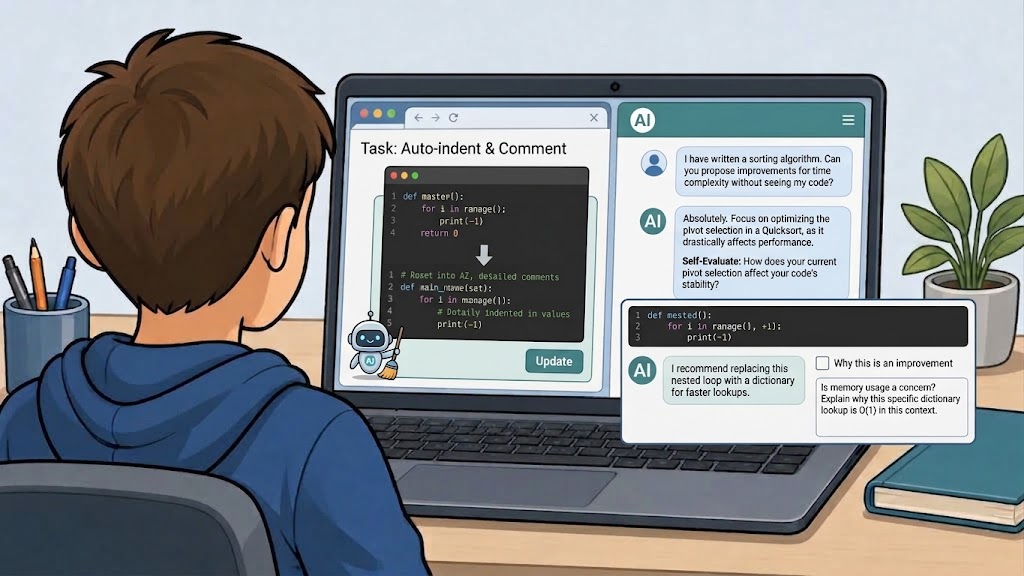
Fig 1. Image generated with Gemini (3.6 Thinking), September 8, 2026.
Content
Programming education is changing in a context where AI systems can generate, explain, and review code. While these tools offer new opportunities for learning, they also introduce an important educational challenge: students need sufficient programming knowledge to evaluate whether an AI-generated suggestion is correct, efficient, or even relevant to the task at hand. Without a basic understanding of programming concepts, students may accept incorrect solutions, overlook errors, or fail to recognize better alternatives. For this reason, learning programming fundamentals remains essential, even when AI tools are available.
In introductory programming courses, AI should be positioned as a learning support tool rather than as a substitute programmer. Students can use AI effectively for repetitive or low-level tasks that do not reduce the cognitive effort involved in learning to program. Examples include formatting and indenting code, generating documentation comments, explaining error messages, summarizing syntax rules, or helping students understand the purpose of specific programming constructs. These uses allow students to focus their attention on the underlying logic, algorithms, and problem-solving processes that are central to programming competence.
Another productive use of AI is code review. Instead of asking an AI model to write a solution, students can write their own code first and then ask the model to identify potential improvements. The AI might suggest clearer variable names, better code organization, reduced redundancy, improved readability, or alternative approaches that the student can evaluate independently. This transforms the AI into a feedback partner, allowing students to compare their own reasoning with external suggestions and assess the strengths and weaknesses of their solutions.
However, AI-generated feedback should not be accepted uncritically. Models may recommend changes that are unnecessary, inefficient, or based on incorrect assumptions about the code's purpose. A central goal of this lesson is therefore to develop students' ability to critically evaluate AI suggestions. Students will learn to ask an AI model not only what improvements it proposes, but also why it considers those changes beneficial. By comparing the model's reasoning to established programming principles, students can judge whether the proposed optimization genuinely improves the code or merely represents a different design choice.
This lesson treats AI as a tool that supports reflection, self-assessment, and code quality improvement rather than code generation. Students practice writing their own programs, using AI to perform supportive tasks, requesting feedback on their work, and critically analyzing the quality of the responses they receive. The ultimate objective is to help students become both better programmers and more informed users of AI systems.
Lesson plan
| Phase | Time | Activity |
| Introduction | 10 min | The teacher presents two short code solutions to the same problem, one written by a student and one generated by an AI model. Students discuss which solution appears clearer, more efficient, or easier to understand. |
| Input | 10 min | The teacher introduces appropriate uses of AI in programming education, emphasizing the distinction between support tasks, code review, and code generation. |
| Exploration | 15 min | Students work in pairs on a small programming exercise and identify which tasks could appropriately be delegated to an AI assistant and which should remain their responsibility. |
|
Improvement Cycle |
35 min | Students write their own solution and complete 2 to 3 rounds of write → ask → evaluate → revise, using AI only for supportive tasks and improvement suggestions. |
| Reflection | 20 min | Whole-class discussion about the usefulness and limitations of AI feedback, focusing on how students determined whether suggestions were valuable or not. |
Guiding questions: layering complexity
Students work through as many rounds as time allows during the 35-minute Improvement Cycle. Each round follows the same four-step process: Write → Ask → Evaluate → Revise
- Round 1 — Using AI for Supportive Tasks
- Write: Complete a short programming exercise independently.
- Ask: Request support from the AI for a non-programming task related to the code, such as:
- improving indentation,
- generating comments,
- explaining an error message,
- describing what a function does.
- Evaluate: Does the AI explanation accurately describe the code? Are the generated comments useful and understandable?
- Revise: Incorporate any helpful changes while ensuring that the program logic remains entirely your own work.
- Round 2 — Requesting Improvement Suggestions
- Write: Review your completed program and identify parts that could potentially be improved.
- Ask: Request improvement suggestions without allowing the AI to rewrite the code. For example:
"Suggest three ways to improve this program's readability and maintainability, but do not provide replacement code."
-
- Evaluate: Which suggestions seem valuable? Which suggestions would have little impact on the program?
- Revise: Implement any improvements you agree with and test whether the program still behaves correctly.
- Round 3 — Critically Evaluating Optimization Advice
- Write: Select a section of your code that performs a repetitive task or uses loops.
- Ask: Request optimization suggestions and require the AI to justify its recommendations.
Example prompt:
"Explain how this code could be optimized and why each proposed optimization would improve performance or readability. Do not provide the optimized code."
-
- Evaluate: Are the proposed optimizations actually beneficial? Which ones are supported by clear reasoning? Which ones appear unnecessary or difficult to justify?
- Revise: Decide which recommendations to implement and explain your reasoning.
Reflection Questions:
- Which AI suggestions were most useful for improving your code?
- Did the AI provide any suggestions that you disagreed with? Why?
- How did you determine whether an optimization was worthwhile?
- When is AI most helpful during the programming process?
- Which programming tasks should still be performed by the student?
- Why is programming knowledge necessary for evaluating AI-generated feedback?
- How can students avoid becoming overly dependent on AI tools when learning programming?
Closing question (for the Reflect phase):
How much programming knowledge is necessary to determine whether an AI suggestion actually improves a program, and what risks arise when users rely on AI-generated advice without understanding the code themselves?
Materials
- One laptop per student pair with a programming environment
- Access to an AI chat assistant or locally hosted language model
- A short programming exercise appropriate to students' experience level
- A worksheet following the cycle write → ask → evaluate → revise
- Reflection questions focused on AI literacy and critical evaluation
- Optional code examples illustrating good and poor coding practices