2. Good Practices & Classroom Examples
- 2.1 Introduction
- 2.2 Biology: Vibe Coding Simulations in the Classroom
- 2.3 English as a Foreign Language
- 2.4 Social Studies: AI, Media and Reality
- 2.5 Cross-Curricular: AI-Assisted Lesson Design
- 2.6 History: Reconstruction of the past
- 2.7 Informatics / Natural Science: AI for a Real School Problem
- 2.8 Mathematics: Can the Machine Actually Calculate?
- 2.9 Programming: Assistance in selected tasks
- 2.10 Art: Fingerprints of Style
- 2.11 Engineering: Trust, but Verify the Circuit
2.1 Introduction
Chapter 1 explained when AI helps, where it harms and which rules apply. This chapter shows what that looks like on an ordinary school day.
The examples are worked through subject by subject, starting with biology, English as a foreign language, history and mathematics. More subjects will be added during the project. Each example takes a situation from everyday teaching and shows how AI can be used, what the teacher does and where things can go wrong. They apply three ideas from Chapter 1: AI supports learning only if learners do the thinking first, you need to know a little about AI before you teach with it, and the rules must be clear before the task begins.
Please read "good practice" modestly. The practices teachers report across Europe are promising approaches, not proven recipes, and none of them has been evaluated yet. Treat each example as a starting point: try it, adapt it to your class and check it against the rules of your school. A checklist summarises the questions to ask before AI enters your lesson.
You can search for different subjects and sort by lessons & professional development with the built-in tag system in the top left corner.
Fig. 1: "Example Tag-system"
2.2 Biology: Vibe Coding Simulations in the Classroom
Predator–Prey Dynamics (Lotka–Volterra model)
Subject: Biology · Grade: 9 (age 14–15) · Duration: 1 double lesson (90 min) · AI: Learning WITH AI
| AI-related competencies (DUAL.AI.TEACHer Framework) – teacher level | Subject-specific learning objectives – student/learner level |
|
AF-TL-2b (AI foundations and applications × Teaching & Learning, Level 2 – Reflective Implementation):
"Teachers can organise lesson elements that embed AI use with clear pedagogical roles and strategies to verify the output elements."
AF-FC-2b (AI foundations and applications × Facilitating Learners’ (AI) Digital Competence, Level 2 – Reflective Implementation):
"Teachers can implement guidance that helps learners develop practical AI skills, adapting the tasks to learners’ prior knowledge and the AI tools available." |
By the end of the lesson, students can:
|
Take-home message: Students don't need to code from scratch. Reading and testing an existing simulation, then using an LLM to add one layer of ecological realism at a time, is enough to build genuine understanding of a dynamic biological model — and, sooner or later, to discover for themselves exactly where that model reaches its limits.
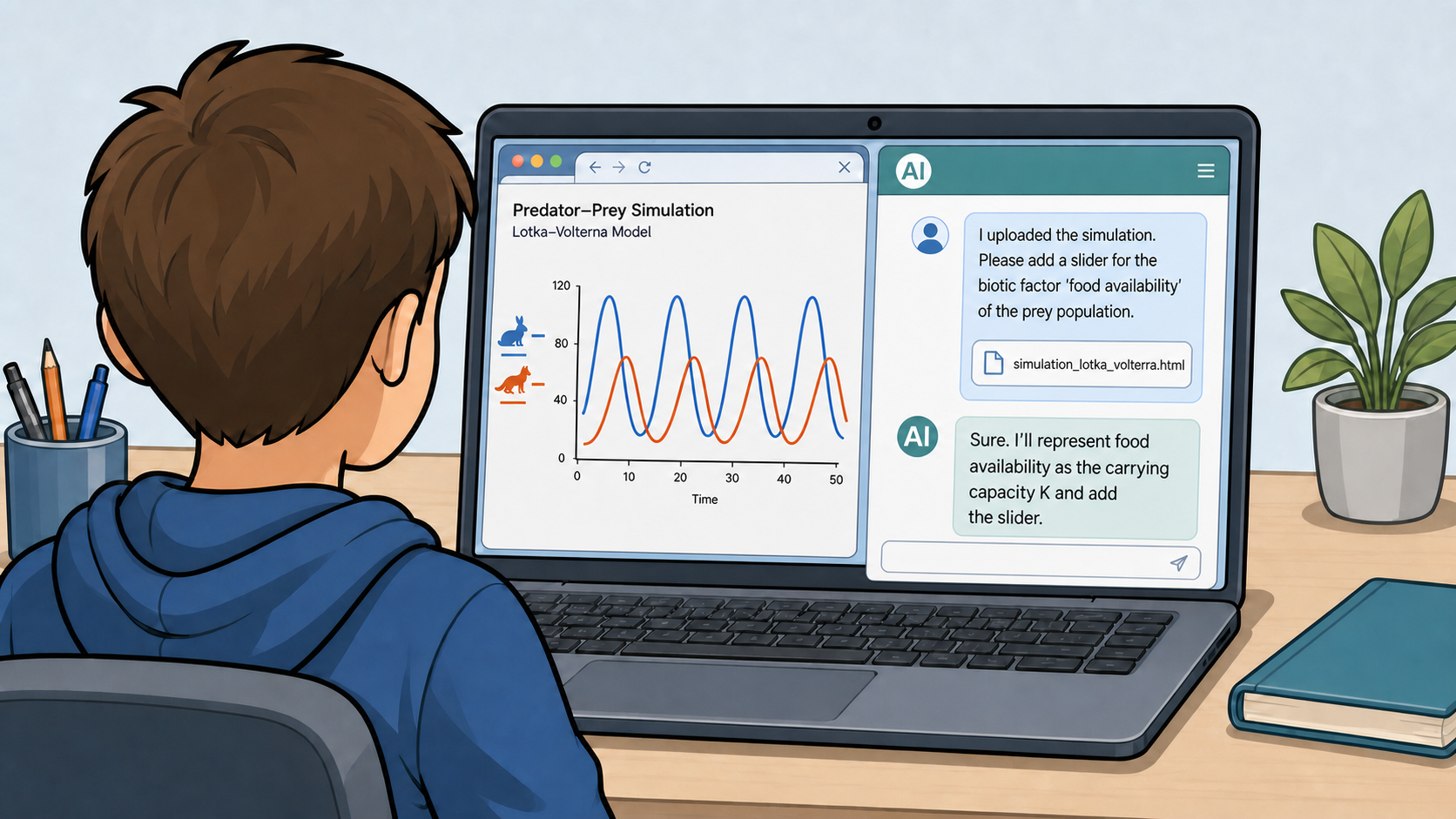
Fig. 1: "Predator–Prey Dynamics (Lotka–Volterra model)" (AI-generated image, ChatGPT GPT Image 2)
Content
Mathematical models and computer simulations are especially valuable tools in ecology, because they can express highly complex systems through mathematical equations. This makes it possible to run experiments in silico and test hypotheses on the model in situations where a real experiment would be too costly, too slow, ethically difficult, or outright dangerous. Manipulating a real predator population, for instance, is rarely an option. At the same time, every model is necessarily a simplification of reality, and this is exactly where its weaknesses lie: real ecosystems are far more complex than any model can fully capture.
The Lotka–Volterra model is a classic example of such a simplification applied to predator–prey dynamics. It represents the system using two state variables (the prey and predator population sizes) and four parameters (the prey’s intrinsic growth rate, the predation-rate coefficient, the predator’s reproduction rate per prey consumed, and the predator’s mortality rate). Under its idealised assumptions, the model predicts sustained, periodic oscillations in which changes in the predator population lag behind those in the prey population. This behaviour arises from a feedback loop: as the prey population increases, more food becomes available to predators, allowing the predator population to grow. Increased predation then causes the prey population to decline, which reduces the predators’ food supply and leads to a decline in the predator population. With fewer predators, the prey population can recover, and the cycle begins again.
To produce this clean cycle, the model makes several strong assumptions. It is deterministic (the same starting values always produce exactly the same curve); it is a closed two-species system that excludes every abiotic factor (temperature, precipitation, season) and every other biotic factor (food plants for the prey, a third species, disease); and it makes each population's growth depend on nothing except the size of the other population.
Real populations rarely meet these assumptions. Births, deaths and encounters are subject to chance, and a stochastic (randomised) version of the same model tends to drift away from the clean cycle and can even collapse (e.g. the predator population dying out) in cases where the deterministic version predicts stable oscillation. Likewise, adding just a single missing factor (e.g. a temperature-dependent growth rate, or a limit on the prey's own food supply) is often enough to break the clean two-variable cycle. This is not a flaw to hide from students, it is the central Nature-of-Science lesson of the activity. A model can be genuinely useful, while still being a deliberately narrow approximation of reality and using it well means knowing exactly which factors it leaves out. In this lesson's main activity, students discover this for themselves by trying to add exactly these kinds of factors.
Lesson plan
| Phase | Time | Activity |
| Introduction | 8 min | The teacher shows an unlabelled graph of a real predator–prey data series (e.g. lynx/hare); students describe the pattern and form first hypotheses. |
| Input | 12 min | The teacher introduces the model’s variables and parameters using a simple diagram (no differential equations needed). |
| Exploration | 15 min | Students test their hypotheses in pairs on a ready-made HTML simulation and record their observations. |
| Adaptation | 35 min | In pairs, students work through 2–3 rounds of predict → prompt → test → diagnose (guiding questions below), each time asking the LLM to add one more layer of ecological realism to the simulation (a limit on the prey's food supply, a second species, a seasonal/abiotic factor) until the clean two-variable cycle visibly breaks down. |
| Reflection | 20 min | Whole-class discussion, guided by questions such as: At which round did the simulation stop producing a clean, repeating cycle? What does the original model deliberately leave out, and why? What makes it a useful simplification rather than simply a wrong one? |
Guiding questions: layering complexity
Pairs work through as many of the following rounds as time allows in the 35 minutes (most manage two; the third is an extension for early finishers). Each round follows the same four-step cycle:
- Round 1 — limit the prey's food supply (a carrying capacity):
- Predict: Before you start prompting, ask yourself: what do you expect to happen to the cycle if the prey's growth slows down once the population gets large, instead of growing without limit? Sketch the curve you expect.
- Prompt: Ask the AI to add a maximum sustainable prey population to the simulation, and to explain in its own words how it changed the growth equation to do this.
- Test & compare: Run the new simulation with the same starting values as before. Compare the previous simulation with the new one: how did the variables change? Why is that?
- Diagnose: Which assumption of the original model (unlimited food for the prey) did you just remove? Is this factor biotic or abiotic?
- Round 2 — add another (biotic or abiotic) factor:
- Predict: If a third species now competes with the prey for food, or preys on it as well, or if prey growth now depends on temperature what do you expect this to do to the original two-species cycle?
- Prompt: Choose another factor and write a prompt asking the AI to add it as a new variable linked to the existing ones — specify exactly how it should interact with the prey or predator population.
- Test & compare: Observe the simulation over several cycles. Does the original two-species rhythm survive, get distorted, or disappear?
- Diagnose: The original model assumed each population depends only on the other. Is that still true after this round? What real ecological relationship does your new factor represent.
- Optional round 3 — introduce randomness:
- Predict: If one parameter (e.g. the predation rate) is no longer fixed but drawn randomly within a range at each time step, what do you expect for the long-term stability of the populations?
- Prompt: Ask the AI to replace one constant parameter with a randomised value and to keep track of whether either population reaches zero.
- Test & compare: Run the simulation several times with the same settings. Do you get the same result every time? Does either population ever collapse?
- Diagnose: Why can the same "average" parameter values sometimes lead to extinction here, when the deterministic model never predicted that?
Closing question (for the Reflect phase): At which round did the simulation stop producing a clean, repeating cycle — and what does that tell you about how many real-world factors the original Lotka–Volterra model has to leave out in order to stay solvable and easy to interpret?
Materials
- One laptop per student pair, with a browser
- Access to an LLM chat interface via the internet, or a locally installed model if internet access is restricted at school
- Ready-made HTML predator–prey simulation (single file, sliders for selected parameters)
- A short prompting / worksheet template for the "layering complexity" rounds (predict → prompt → test → diagnose)
- Guiding questions for the exploration phase and the Nature-of-Science reflection (model purpose vs. model limits)
2.3 English as a Foreign Language
Communicative Appropriateness in English
Subject: English as a Foreign Language · Grade: 9 (age 14–15) · Duration: 1 double lesson (90 min) · AI: Learning WITH AI
| AI-related competencies (DUAL.AI.TEACHer Framework) – teacher level | Subject-specific learning objectives – student/learner level |
|
AF-TL-2b (AI foundations and applications × Teaching & Learning, Level 2 – Reflective Implementation):
"Teachers can organise lesson elements that embed AI use with clear pedagogical roles and strategies to verify the output elements."
AF-FC-2b (AI foundations and applications × Facilitating Learners’ (AI) Digital Competence, Level 2 – Reflective Implementation):
"Teachers can implement guidance that helps learners develop practical AI skills, adapting the tasks to learners’ prior knowledge and the AI tools available." |
By the end of the lesson, students can:
|
Take-home message: AI can generate fluent and grammatically correct English, but this does not automatically make the language natural or appropriate for a particular situation. By changing the audience, purpose and context of an AI-generated conversation, students learn to evaluate AI suggestions and use their own language knowledge to make the final decisions.
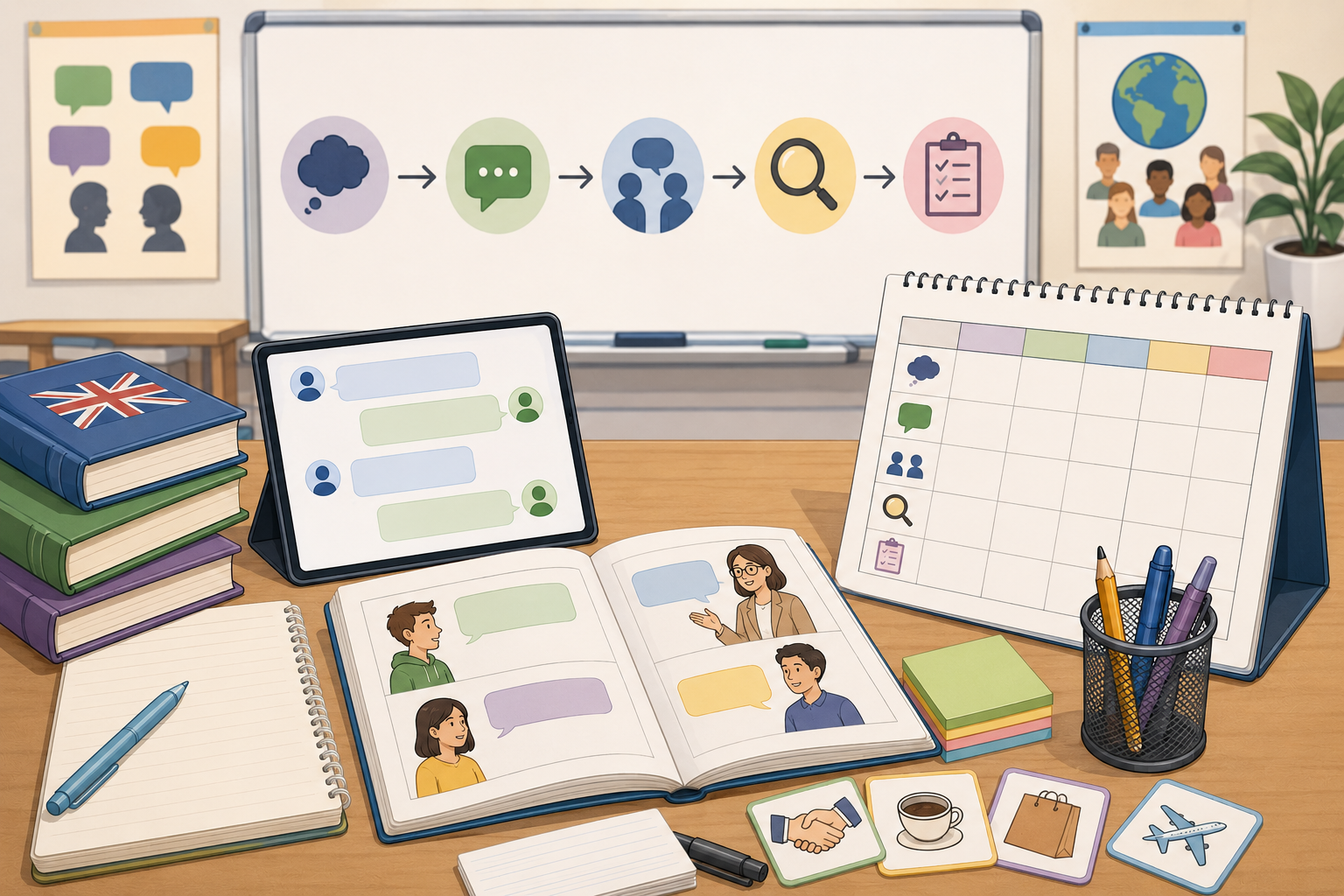
Fig. 1: "Communicative Appropriateness in English" (AI-generated image, ChatGPT GPT Image 2)
Content
Communicating successfully in a foreign language requires more than producing grammatically correct sentences. Speakers constantly adapt their vocabulary, sentence structure, politeness and tone according to the audience, purpose and context of communication. The same intention can therefore be expressed in very different ways depending on who is speaking to whom. A request made to a close friend may be short and informal, while the same request addressed to a teacher, employer or unfamiliar person usually requires different vocabulary, more polite structures and a different degree of formality. These differences are part of register, which describes how language changes according to the social and communicative situation.
For language learners, register can be difficult to recognise because a sentence may be grammatically correct while still sounding unnatural or inappropriate in a particular context. Textbook examples often provide clear distinctions between formal and informal language, while real communication is much more flexible. Age, relationship between speakers, cultural expectations, medium of communication and communicative purpose can all influence the language that is used. A message that sounds natural in a conversation between teenagers, for example, may sound too informal in an email to a teacher, while an expression that is suitable for a formal letter may sound unnecessarily distant in everyday conversation.
Generative AI can produce and adapt dialogues very quickly, which makes it useful for exploring these differences. By changing individual elements of a prompt, such as the relationship between speakers, language level, purpose or degree of formality, learners can generate several versions of the same communicative situation and compare how the language changes. At the same time, AI-generated language is not automatically reliable simply because it sounds fluent. A model may produce language that is too formal, repetitive, culturally awkward, inconsistent with the requested level or not fully aligned with the instructions given in the prompt. Generative AI also works probabilistically, which means that similar prompts can produce different formulations.
This limitation is central to the activity rather than something to hide from learners. AI becomes most useful when students treat its output as language material to analyse rather than an answer to accept. In this lesson, students first examine how register changes across communication contexts and then use an LLM to modify one communicative variable at a time. They compare the resulting dialogues, identify which linguistic choices work and which do not, and revise parts of the output themselves. In this way, students practise both communicative competence in English and practical AI literacy: giving clear instructions, checking whether those instructions were followed and using their own linguistic judgement to decide whether the final result is appropriate.
Lesson plan
| Phase | Time | Activity |
| Introduction | 10 min | The teacher shows two short messages communicating the same request, for example one addressed to a friend and another to a teacher. Students identify differences in vocabulary, politeness and tone and suggest who might have written each message. |
| Input | 10 min | The teacher introduces the concepts of audience, purpose, context and register. Together, students identify features of formal and informal English and discuss why grammatically correct language is not necessarily appropriate language. |
| Exploration | 15 min | In pairs, students examine a short AI-generated dialogue for an everyday situation. They identify useful expressions and highlight anything that sounds unnatural, too formal, too informal or unsuitable for their English level. |
| Adaptation | 35 min | Students work through 2–3 rounds of predict → prompt → compare → diagnose. In each round, they change one aspect of the communication context and ask the AI to adapt the dialogue. |
| Reflection | 20 min | Students compare their versions and discuss which changes affected the language most. They identify where AI followed the instructions well, where it did not, and which expressions they would change themselves. |
Guiding questions: layering complexity
Pairs work through as many of the following rounds as time allows during the 35-minute adaptation phase. Most pairs should complete two rounds, while the third can be used as an extension:
- Round 1 — Change the relationship between speakers:
- Predict: Imagine that the same request is made to a close friend and to a teacher. What do you expect to change? Think about vocabulary, greetings, sentence structure and politeness.
- Prompt: Ask the AI to rewrite the dialogue for a different relationship between the speakers.
For example:
Rewrite this conversation between two friends as a conversation between a student and a teacher. Keep the meaning the same, but use polite, natural English suitable for a B1 learner.
- Compare: Compare the original and new dialogues. Identify at least three linguistic changes.
- Diagnose: Did the AI change only individual words, or did it also change sentence structure, greetings, requests and closing expressions? Which changes are appropriate? Is there anything you would change yourself?
- Round 2 — Change the communicative purpose:
Students now change what one speaker wants to achieve. For example:
asking for information → making a complaint
accepting an invitation → declining politely
asking for help → requesting permission
informal conversation → formal request
- Predict: What language do you expect to change when the purpose of the conversation changes?
- Prompt: Create a more detailed prompt that includes: speaker + situation + purpose + language level + tone
For example:
Create a short B1-level dialogue between a customer and a café employee. The customer received the wrong order and wants to solve the problem politely. Use natural everyday English and keep the dialogue to eight lines.
- Compare: Check whether the generated dialogue follows each part of the instruction.
- Diagnose: Select one expression that works well and one that you would rewrite. Explain why.
- Optional round 3 — Add constraints and challenge the AI:
Students make their instructions more specific.
For example:
Rewrite the conversation for two 15-year-olds. Keep the English at B1 level. Make it friendly and natural, but avoid slang. Keep the same communicative purpose.
- Predict: Which parts of the previous dialogue do you expect to change?
- Prompt: Ask the AI to produce the revised version.
- Compare: Check the response against every requirement in the prompt.
- Diagnose: Which instructions did the AI follow successfully? Which did it ignore or interpret differently?
Closing question (for the Reflect phase): At which point did changing the communication situation require more than simply replacing a few words, and what does this tell you about communicating effectively in another language?
Follow with: If an AI-generated dialogue is grammatically correct, how can you decide whether it is actually appropriate and natural for this particular situation?
Materials
- One laptop or tablet per student pair, with a browser
- Access to an approved LLM chat interface via the internet, or a locally installed model if internet access is restricted at school
- One short starter dialogue at approximately B1 level
- A short prompting / worksheet template for the adaptation rounds (predict → prompt → compare → diagnose)
- A language-evaluation checklist covering meaning, grammar, vocabulary, register, naturalness and fulfilment of instructions
- Teacher-prepared examples of formal and informal communication
- A short AI-use guideline reminding students not to enter personal information and to treat AI-generated language as material to analyse and improve, not as an answer key
2.4 Social Studies: AI, Media and Reality
Can We Believe Everything We See?
| AI-related competencies (DUAL.AI.TEACHer Framework) – teacher level |
Subject-specific learning objectives – student/learner level
|
|
EA-FC-2a (ETHICS OF AI × FACILITATING LEARNERS’ AI DIGITAL COMPETENCE Level 2 – Reflective Implementation)
"Teachers can implement learning activities that develop learners' ethical reasoning about AI, justified by the methodological choices." |
By the end of the lesson, students can:
|
Take-home message: AI can produce convincing text and images, but convincing does not mean true. Before we believe or share something, we need to ask where it came from, what evidence supports it and whether we can verify it elsewhere.
Content
Artificial intelligence is increasingly becoming part of everyday communication. AI systems can generate texts, pictures and other forms of content that may look as if they were created by a person. This creates new possibilities, but also new challenges for how people understand and evaluate information. For students at this age, the important question is not necessarily how AI works technically, but how AI-generated content can affect people and society.
The lesson introduces AI through a familiar social situation: information encountered in everyday life. The teacher presents examples of texts and images and asks students to decide whether the content is real, edited, or AI-generated. The emphasis is not on teaching students to detect AI perfectly. In fact, one of the central conclusions of the lesson is that appearance alone is not a reliable way of establishing whether something is true.
Students instead learn a simple verification process:
STOP → QUESTION → CHECK → COMPARE → DECIDE
The activity connects with the Social Studies curriculum's emphasis on developing critical thinking, analysing evidence, forming and expressing opinions, and researching the social environment. The curriculum specifically includes the role and influence of the media as one of the proposed social issues for Grade 5. The curriculum also explicitly encourages teachers to develop rational and critical thinking through posing questions that require reasoning, investigating evidence, analysing data that support or challenge conclusions, and considering different interpretations. Importantly, students do not interact directly with an AI system during the lesson. The teacher operates the AI tool and presents selected outputs to the class. Students' role is to observe, question, compare and evaluate the content.
Lesson plan
| Phase | Time | Activity |
| Introduction | 10 min | The teacher shows two or three images or short texts connected to a familiar situation. Students individually decide: Is this real? How do you know? |
| Input | 15 min | The teacher introduces AI in age-appropriate language: what generative AI can do and why AI-generated content can look convincing. |
| Demonstration | 15 min | The teacher uses an AI tool live to generate an image or short text based on a simple prompt. Students observe how quickly the content can be created and discuss what the AI actually produces. |
| Investigation | 30 min | Groups receive several examples of information/content. They use a verification checklist and decide what they would trust, what they would question and what they would check further. |
| Reflection | 20 min | Whole-class discussion: Can we trust an image simply because it looks real? What about a text? Who is responsible if we create or spread false information? |
Guiding questions:
Students work through the following situations with the teacher. The AI is operated only by the teacher.
1. Round 1 — STOP: Don't believe it immediately
The teacher shows students an AI-generated image of a familiar situation — for example, an apparently realistic photograph of an unusual event in Slovenia.
- Before revealing anything, students answer:
-
Does this image look real?
-
What makes you think so?
-
Which details make it seem believable?
-
Is there anything that looks unusual?
-
-
The teacher reveals that the image was generated with AI and briefly explains how generative AI can create realistic-looking images.
-
What made us believe the image was real?
-
Did we look for evidence, or did we simply trust what we saw?
-
Could a person use such an image to mislead other people?
-
Diagnose: Students identify the difference between "This looks real," and "I have evidence that this is real."
Key idea: A realistic appearance is not proof that something is true.
2. Round 2 — QUESTION: Who created it and why?
The teacher presents a short piece of AI-generated news-style text. For example, the teacher asks an AI system to produce a short article about an imaginary event at a Slovenian school.
- Students do not interact with the AI. Instead, they analyse the output.
-
Who wrote or created this?
-
Where does the information supposedly come from?
-
Does the text identify a source?
-
Does it provide evidence?
-
Can we verify the information?
-
Why might someone want to publish such information?
-
Does the text sound certain even though we don't know whether it is true?
-
-
Students discover that a text can sound confident, informative and convincing while still lacking a reliable source or evidence.
Key idea: A confident-sounding answer is not necessarily a correct answer.
3. Round 3 — CHECK & COMPARE: Let's verify it
The teacher presents a fictional claim: "A new rule has been introduced in Slovenia: students are no longer allowed to use mobile phones on Saturdays."
The statement is deliberately simple and plausible enough to prompt students to consider how they would check it.
- Students are not asked simply to answer "true" or "false". Instead, they have to design a verification strategy.
-
Where would you check this information?
-
Who could you ask?
-
Would you trust a social media post?
-
Would you check only one source or several?
-
What would count as good evidence?
-
Which source would you trust more?
-
What would make you change your mind?
-
-
The teacher then demonstrates how the claim could be checked using different types of sources.
Students recognise that checking information is a process rather than simply deciding whether something "feels true".
4. Optional Round — AI vs. Human
- The teacher asks an AI system: "Why is it important to preserve cultural heritage?" - The AI generates a short answer.
- Students then independently construct their own answer without AI.
- The class compares the two.
-
What did the AI answer well?
-
What is missing?
-
Is the AI giving information, an opinion, or both?
-
Does the AI know our local environment as well as we do?
-
Which answer would be more useful when presenting our local cultural heritage?
-
Can an AI-generated answer replace our own thinking?
-
This connects with the curriculum's emphasis on cultural heritage, students' understanding of the past and present, and their ability to explain and justify their own viewpoints.
Closing activity: Building a classroom rule
At the end of the lesson, the teacher and students jointly create a simple classroom poster:
5 QUESTIONS BEFORE WE SHARE
- STOP
- Do I need to believe this immediately?
- QUESTION
- Who created or published this?
- CHECK
- Where can I verify the information?
- COMPARE
- Do other reliable sources say the same thing?
- DECIDE
- Do I have enough evidence to believe or share it?
The poster becomes the main practical outcome of the lesson.
Closing question: If a computer can create an image or text that looks completely real, what should we do before we believe it or share it with other people?
Materials
-
One computer and projector for the teacher;
-
access to an LLM/AI tool operated by the teacher;
-
2–3 prepared AI-generated images and texts;
-
several examples of real and fictional information;
-
a STOP → QUESTION → CHECK → COMPARE → DECIDE worksheet;
-
different sources that students can use for verification;
-
a board or poster for constructing the class's "5 questions before we share" rule.
The teacher's role and the students' role
A central design principle of this lesson is that AI use is teacher-led.
| Teacher | Students |
| Operates the AI tool. | Observe the AI output. |
| Creates selected examples. | Ask questions about the content. |
| Demonstrates how AI generates text/images. | Identify reasons to trust or question information. |
| Provides examples and counterexamples | Compare different sources. |
| Models verification strategies | Develop their own verification strategy. |
| Guides discussion | Explain and justify their conclusions. |
|
Makes the limitations of AI visible. |
Reflect on responsible information sharing. |
The students are therefore learning about the capabilities, limitations and social consequences of AI without needing their own access to an AI system.
2.5 Cross-Curricular: AI-Assisted Lesson Design
AI-Assisted Instructional Design
Subject: Teacher Professional Development · Target Group: Teachers · Duration: 1 workshop (90 min) · AI: Teaching WITH AI
| AI-related competencies (DUAL.AI.TEACHer Framework) – teacher level | Subject-specific learning objectives – student/learner level |
|
AF-DR-2b (AI Foundations and Applications × Digital Resources, Level 2 – Reflective Implementation):
"Teachers can implement prompting, iteration, and refinement strategies to obtain usable AI-generated resources."
AF-TL-2b (AI Foundations and Applications × Teaching & Learning, Level 2 – Reflective Implementation):
"Teachers can organise lesson elements that embed AI use with clear pedagogical roles and strategies to verify the output elements." |
By the end of the lesson, participants can:
|
Take-home message: Generative AI can accelerate lesson preparation, but a usable learning activity rarely comes from a single prompt. Effective AI-supported lesson design is an iterative process in which teachers define the pedagogical goal, generate ideas, evaluate the output, refine it and make the final instructional decisions.
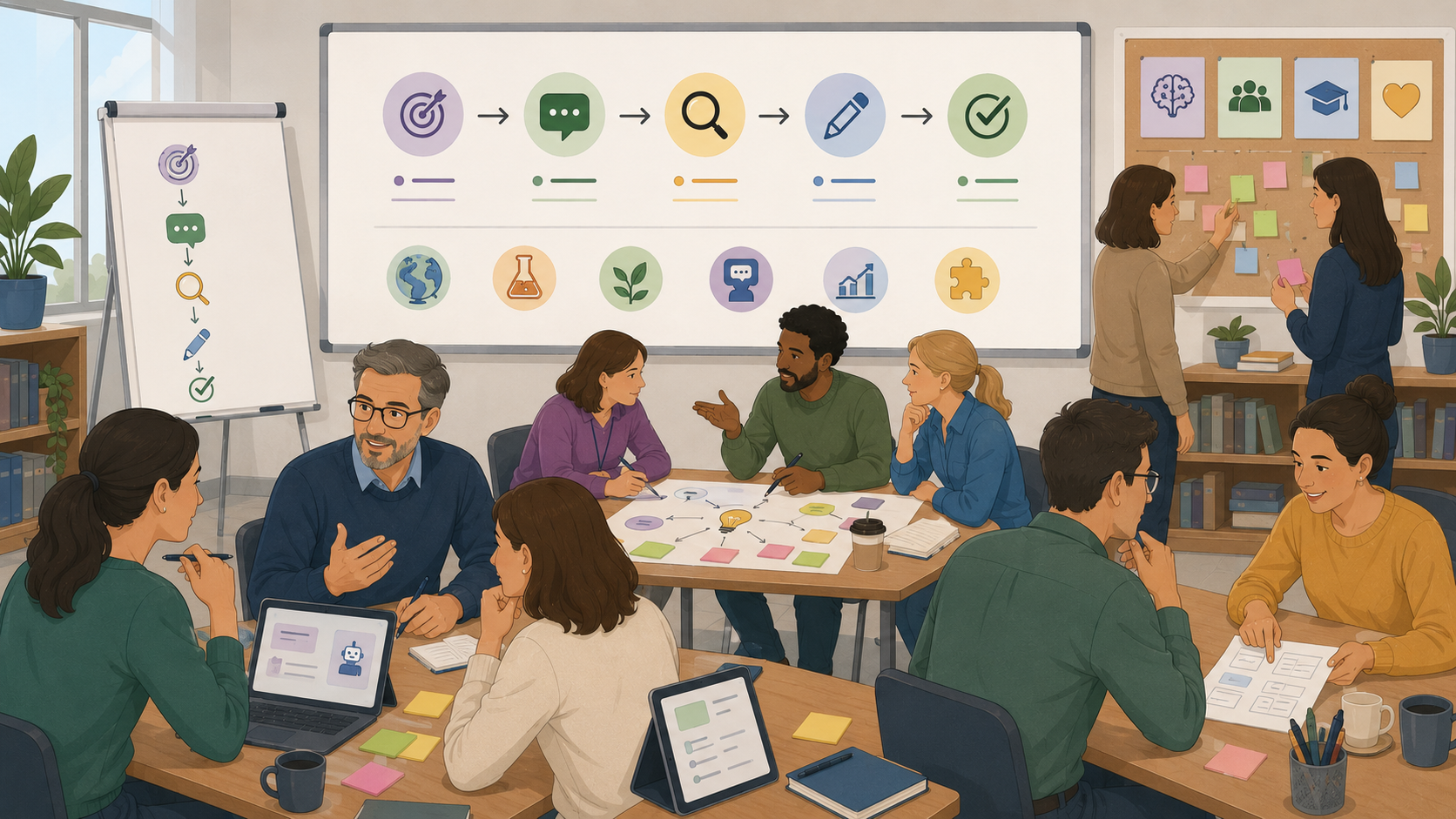
Fig. 1: "AI-Assisted Instructional Design" (AI-generated image, ChatGPT GPT Image 2)
Content
Generative AI can support teachers with many tasks involved in lesson preparation, including generating activity ideas, adapting materials to different learner groups, producing examples and questions, or suggesting alternative ways of explaining a topic. The Latvian Datorium case study demonstrates this practical approach to teacher AI competence development: teachers first become familiar with AI and its educational applications and then move towards practical experimentation, lesson planning, assessment and differentiated material development. Classroom application is followed by reflection and feedback, making AI use part of an iterative professional learning process rather than a one-time technical exercise.
The usefulness of generative AI for lesson design depends heavily on the information and constraints provided by the teacher. A request such as "Create a lesson about climate change" leaves most pedagogical decisions to the AI system. A more structured prompt can specify the subject, learner age, existing knowledge, learning objective, duration, teaching method, available resources and expected learner output. Adding these elements does not guarantee a good lesson, but it gives the teacher greater control over what the AI produces and makes the resulting material easier to evaluate against the intended learning goal.
Even a detailed prompt can produce material that is factually inaccurate, pedagogically weak, unrealistic for the available lesson time or unsuitable for a particular group of learners. AI may suggest activities without considering classroom dynamics, assume resources that are unavailable, generate tasks that do not actually measure the stated learning objective, or provide content that appears convincing but requires factual verification. For this reason, AI-generated educational material should be treated as a draft rather than a finished teaching resource.
The central learning process in this activity is therefore not simply learning how to write a "good prompt". Teachers work through a repeated cycle of define → prompt → evaluate → refine → verify. They begin with a real learning objective from their own teaching context, use AI to propose an activity, evaluate the result against pedagogical criteria, refine the prompt where necessary and finally make their own modifications before the activity is considered classroom-ready. This reflects the Datorium case study's emphasis on practical experimentation, co-creation, classroom application and reflection, while keeping pedagogical responsibility and validation with the teacher.
Lesson plan
| Phase | Time | Activity |
| Introduction | 10 min | Participants identify one lesson-preparation task for which AI could potentially be useful. The facilitator introduces AI as an assistant/co-creator rather than an autonomous lesson designer. |
| Input | 15 min | Participants compare a simple prompt with a structured educational prompt and examine how additional context changes the generated learning activity. |
| Exploration | 15 min | Each participant selects a real learning objective from their subject and asks an LLM to generate a short classroom activity addressing it. |
| Adaptation | 35 min | Participants work through two or three rounds of prompt → evaluate → refine → verify, progressively adding pedagogical constraints and checking the resulting activity. |
| Reflection | 25 min | Participants compare their original AI output with the final classroom-ready version and identify which improvements came from prompting and which required their own professional judgement. |
Guiding questions: from AI output to classroom-ready activity
- Round 1 — Define the pedagogical purpose:
Before prompting the AI, define:
- Who are the learners?
- What should they know or be able to do?
- What prior knowledge do they have?
- How much time is available?
- What should learners actually do during the activity?
Generate an initial activity and compare it with the intended learning objective.
- Diagnose: Does the activity actually help learners achieve the objective, or does it merely relate to the same topic?
- Round 2 — Add classroom constraints:
Refine the prompt by adding realistic conditions such as class size, available materials, lesson duration, learner level, teaching method or accessibility requirements.
Generate the revised activity and compare it with the first version.
Compare: Check whether the generated dialogue follows each part of the instruction.- Diagnose: Which changes improved the activity? What classroom conditions has the AI still failed to consider?
- Optional round 3 — Verify and take back control:
Evaluate the final AI-generated activity for:
- factual accuracy;
- alignment with the learning objective;
- suitability for the learner group;
- realistic timing;
- clarity of instructions;
- accessibility and inclusion;
- teacher and learner roles.
Participants then make at least one manual change without asking AI to revise it.
The final comparison is therefore not "Which prompt produced the best AI answer?" but rather "What did the teacher have to contribute to turn an AI-generated idea into a usable learning activity?"
Closing question (for the Reflect phase): At which point did the AI-generated activity require more than simply improving the prompt, and what does this tell you about the teacher’s role in AI-supported lesson design?
Follow with: If an AI-generated learning activity appears complete and well structured, how can you decide whether it is actually pedagogically appropriate and ready to use with learners?
Materials
- One laptop or tablet per participant, with a browser
- Access to an approved LLM chat interface, or a locally installed model
- One real learning objective or lesson topic from each participant's teaching context
- A structured educational prompting template
- A short worksheet for the define → prompt → evaluate → refine → verify cycle
- An evaluation checklist covering pedagogical relevance, accuracy, learner suitability, feasibility and alignment with learning objectives
- Example of a simple prompt and a more structured educational prompt
2.6 History: Reconstruction of the past
A Day in Medieval Riga: What Can Sources Really Tell Us?
Subject: History Grade · Target Group: 7 (age 13–14) · Duration: 1 double lesson · AI: Learning WITH AI
| AI-related competencies (DUAL.AI.TEACHer Framework) – teacher level | Subject-specific learning objectives – student/learner level |
|
AF-TL-2b (AI foundations and applications × Teaching & Learning, Level 2 – Reflective Implementation):
"Teachers can organise lesson elements that embed AI use with clear pedagogical roles and strategies to verify the output elements."
AF-FC-2b (AI foundations and applications × Facilitating Learners’ (AI) Digital Competence, Level 2 – Reflective Implementation):
"Teachers can implement guidance that helps learners develop practical AI skills, adapting the tasks to learners’ prior knowledge and the AI tools available." |
By the end of the lesson, participants can:
|
Take-home message: What is shown is not necessarily what happened. Historical reconstructions combine evidence, reasonable inference and speculation. Understanding the past means recognising the difference between what we know from sources, what we can reasonably conclude, and what has been imagined to fill the gaps and to tell a better story.
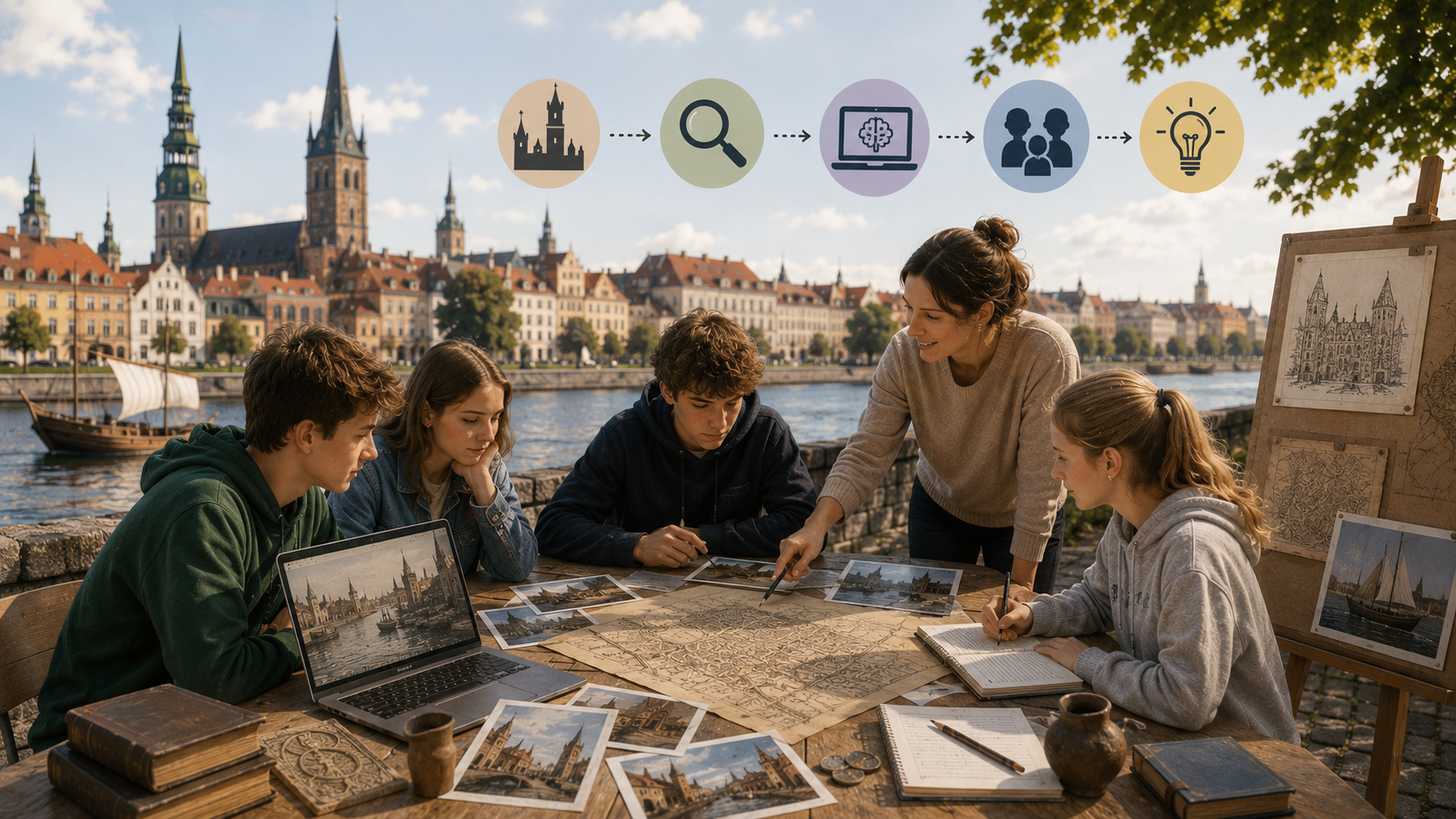
Fig. 1: "A Day in Medieval Riga: What Can Sources Really Tell Us?" (AI-generated image, ChatGPT GPT Image 2)
Content
Historians cannot directly observe everyday life in the Middle Ages. Instead, they reconstruct it from traces that people left behind: written documents, buildings, objects, images, archaeological finds and other evidence. Different sources answer different questions. A trade record may reveal what goods entered a city, while an archaeological object may tell us something about what people owned or used. Neither source alone can recreate an entire day in someone's life.
Medieval Riga provides a useful case study. Riga developed rapidly after the beginning of the 13th century and became an important centre connecting trade between western Europe, Livonia and lands further east. By the late 13th century, it had become a major Hanseatic trading city. Trade and crafts supported the growth of merchant and craft organisations such as guilds.
Modern media can make the past feel much more complete than the surviving evidence actually allows. AI-generated history content such as Chloe VS History, for example, presents vivid "time-travel" scenes in which viewers appear to visit historical settings such as London during the Black Death. Clothing, streets, buildings, people and everyday activities are presented as if they were being directly observed. Yet these scenes are reconstructions: some details may be based on historical evidence, some may be reasonable inferences, and others may be speculative or inaccurate.
The same issue appears in historical films. A Knight's Tale creates a recognisably medieval world through armour, tournaments, clothing, architecture and social roles, while also deliberately introducing modern music, language and behaviour. It therefore provides a useful reminder that something can look convincingly historical without representing exactly what happened.
Generative AI works in a similar way. It can combine fragments of historical evidence into a coherent reconstruction of a day in medieval Riga, but it may also fill gaps with details that were never present in the sources. Some additions may be historically plausible; others may belong to another region, century or social group.
Students therefore need to distinguish between three levels of certainty:
Evidence – what historical sources directly support.
Inference – what can reasonably be concluded from that evidence.
Speculation – what has been imagined to fill the gaps.
Lesson plan
| Phase | Time | Activity |
| Hook | 10 min | Watch a Chloe VS History medieval AI video. Students identify what makes it believable and question which details are actually supported by evidence. |
| Input | 10 min | Introduce evidence – inference – speculation and practise distinguishing them. |
| Exploration | 15 min | Students analyse sources about medieval Riga without AI and establish what can genuinely be known. |
| Adaptation 1 | 20 min | AI reconstructs a day in medieval Riga from limited evidence. Students identify where it fills gaps. |
| Adaptation 2 | 20 min | More sources and stricter prompting are added. Students compare the two reconstructions. |
| Reflection | 25 min | Students transfer the same critical-thinking framework to a medieval historical film. |
Guiding questions: from AI output to classroom-ready activity
- Hook — Show approximately 30-60 seconds of Chloe VS History (TikTok/Youtube) AI-generated visit to London during the Black Death 1348:
- Discussion question: "What makes this look like a real visit to medieval London?"
- Introduce the problem: "How do we actually know that these details are historically accurate?" Key principle for this lesson (The importance of sources)
- Introduce the problem: "How do we actually know that these details are historically accurate?" Key principle for this lesson (The importance of sources)
- Historical evidence → inference→ speculation
- Input — Archaeological object: a medieval comb:
-
Provide statements about the object that need to be categorised into categories - evidence, inference, speculation. Example:
-
A bone comb was discovered in medieval Riga - evidence
-
Some inhabitants of Riga used combs - inference
-
The owner combed their hair before going to the market every morning - speculation
-
-
- Exploration — Group work. Analysing sources:
4 different sources about medieval Riga.
A) Riga as a Hanseatic trading city. Text from museum of the History of Riga and Navigation, "Riga as Part of Livonia (13th–16th cent.)"
B) Archaeological evidence of Hanseatic trade. Pictures from the museum of the History of Riga and Navigation, "Archaeological Evidence of the Hansa Trade in Riga."
C) List of imports and exports from Riga. Trade information from museum of the History of Riga and Navigation, "Archaeological Evidence of the Hansa Trade in Riga."
D) Riga's 1293 building regulations that restricted the construction of wooden houses after a fire outbreak.
Students fill out a worksheet for each source by answering the following question about each source: What do we know? What can we reasonably infer? What do we still not know?
- AI fills in the missing gaps:
Prompt that is used by students: Using only Sources A and B, describe one morning in medieval Riga from the perspective of a young citizen. Write approximately 150 words. Make the scene vivid, but do not introduce information that cannot reasonably be inferred from the sources.
Students annotate the AI response:
-
Evidence
-
Reasonable inference
-
Unsupported / speculation
-
- AI revises its work using more evidence:
Improved prompt: Revise the reconstruction using Sources A–D. After every important historical detail, identify its source, for example [Source B]. If something is not directly stated but is reasonably inferred from the sources, write [Inference]. Remove details that cannot be supported or reasonably inferred.
Compare:
Version 1 → Version 2
Find:-
one detail that became more precise;
-
one detail AI removed;
-
one new detail supported by evidence;
-
one detail that still needs questioning.
-
- Reflection/Transfer of knowledge
Show a short classroom-appropriate scene or still from A Knight's Tale (2001)
Discussion question:
-
Based on the key principles from this lesson, what stands out as evidence, inference, speculation.
- If filmmakers change historical details to make a better story, is that necessarily wrong?
Final individual reflection:
Students complete:
-
Something can look historically convincing when...
-
Before believing something I see in a historical film, I should...
-
A historical film can invent or change details, but…
-
Materials
-
Projector/interactive whiteboard with speakers.
-
Chloe VS History medieval AI video for the hook.
-
Image of a medieval bone comb from Riga.
-
Evidence–Inference–Speculation mini worksheet.
-
Medieval Riga Source Pack: Hanseatic trade text, pictures of archaeological finds, imports/exports list, 1293 building regulations.
-
Source-analysis worksheet.
-
Student devices with access to an approved generative AI tool.
-
AI prompt and comparison worksheets for Rounds 1 and 2.
-
Short clip or still from A Knight’s Tale (2001) for reflection.
2.7 Informatics / Natural Science: AI for a Real School Problem
Can AI Help Us Sort Waste at School?
Subject: Informatics/Natural Science · Target Group: 7 (age 13–14) · Duration: 1 double lesson · AI: Learning WITH AI
| AI-related competencies (DUAL.AI.TEACHer Framework) – teacher level | Subject-specific learning objectives – student/learner level |
|
AF-TL-2b (AI foundations and applications × Teaching & Learning, Level 2 – Reflective Implementation):
"Teachers understand basic principles of AI and machine learning and can demonstrate them through practical examples."
AF-FC-2b (AI foundations and applications × Facilitating Learners’ (AI) Digital Competence, Level 2 – Reflective Implementation):
"Teachers can guide students in experimenting with AI tools, testing their outputs and critically reflecting on their reliability." |
By the end of the lesson, students can:
|
Take-home message: AI can help with real-life problems, but it does not automatically understand what it sees. It learns from examples provided by people, and its results must therefore be tested and evaluated.
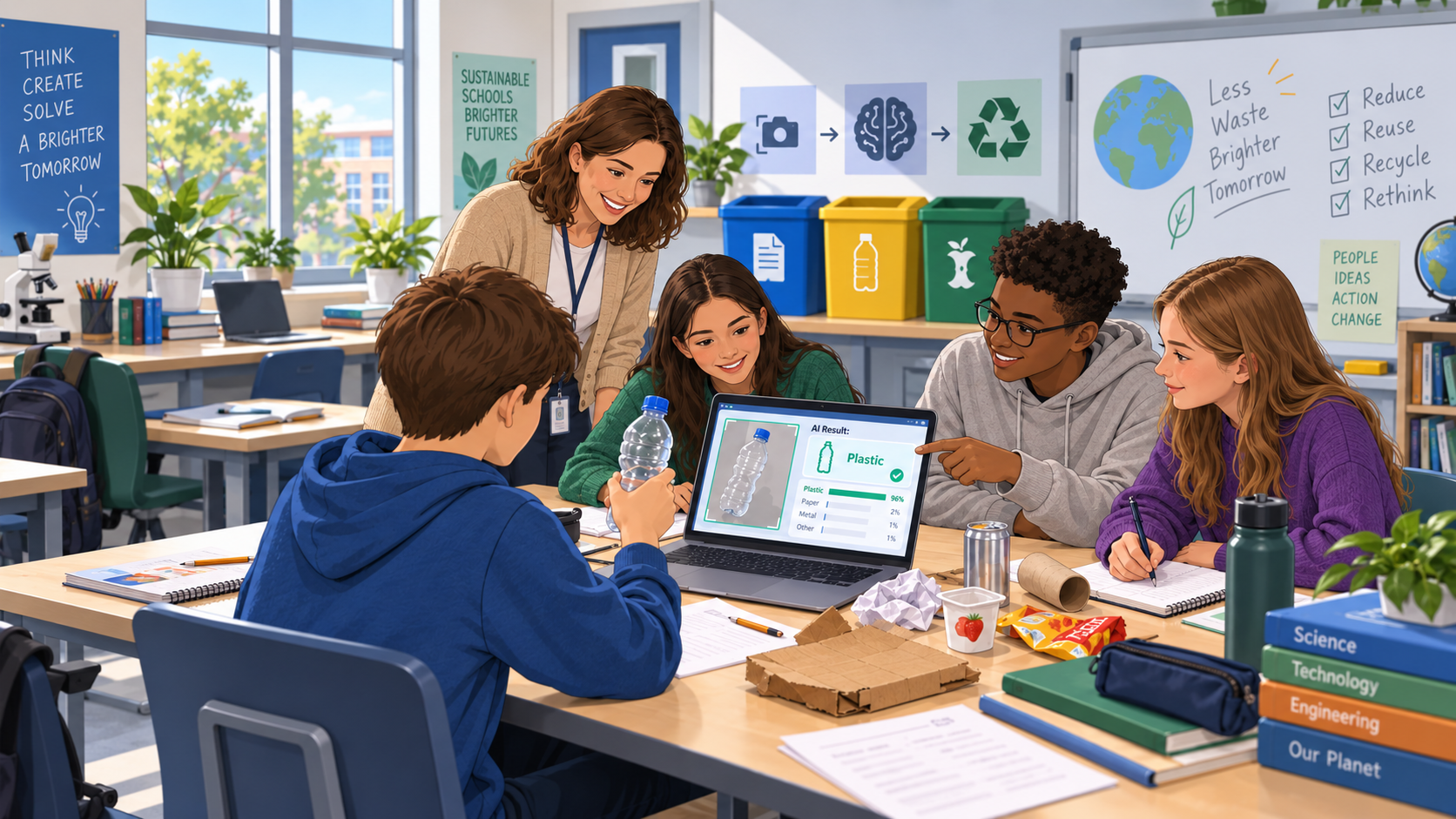
Fig. 1: "Can AI Help Us Sort Waste at School?" (AI-generated image, ChatGPT GPT Image 2)
Content
Waste sorting is an everyday issue in many schools. Students use paper, plastic bottles, food packaging and other materials every day, but these items do not always end up in the correct recycling bin.
This familiar situation provides a simple way to explore how artificial intelligence works. Students investigate whether an AI system could recognise an object and recommend which recycling bin it belongs in.
During the activity, students create a basic image-classification model with categories such as paper, plastic and other waste. They provide the AI with several examples, train the model and then test it with new objects.
The activity demonstrates an important principle of machine learning: the AI learns patterns from the examples it receives. If the examples are too similar, incomplete or poorly selected, the model may produce unexpected results.
Students therefore do more than simply create a working model. They deliberately test it with difficult examples, investigate its mistakes and try to improve it. For example, they may discover that a crushed plastic bottle is classified differently from a normal bottle, or that the background of an image affects the result.
The lesson connects a basic AI concept with a real school situation. At the same time, it encourages students to think critically about reliability and human responsibility: even if an AI system gives a recommendation, people still need to decide whether the result makes sense.
Lesson plan
| Phase | Time | Activity |
| Hook | 10 min | The teacher shows several everyday waste objects and asks students where they belong. The class discusses whether AI could make the same decision automatically. |
| Input | 10 min | The teacher introduces image classification and explains that AI learns from examples. The selected AI tool is briefly demonstrated. |
| Exploration | 20 min | In small groups, students create categories such as paper, plastic and other waste, prepare examples and train their first model. |
| Adaptation 1 | 20 min | Students test the model with new objects and record where it succeeds and where it makes mistakes. |
| Adaptation 2 | 20 min | Students improve the training examples, retrain the model and compare the new results with the first version. |
| Reflection | 10 min | Students discuss whether their AI system would be reliable enough for real use at school and what its limitations are. |
Guiding questions: from AI experiment to real-life application
-
-
Hook – Could AI decide where our waste belongs?
-
The teacher shows several common objects, for example:
- a sheet of paper,
- a plastic bottle,
- a cardboard box,
- a yoghurt cup,
- a pencil.
Students first decide themselves where each object should go.
Then ask:
- Could a computer make the same decision from a camera image?
- How would it know that something is paper or plastic?
- What information would it need?
- Could it ever make the wrong decision?
Introduce the challenge:
Create an AI model that can help students decide which recycling bin to use.
-
-
Input – How does an AI classifier learn?
-
The teacher demonstrates a simple image-classification tool.
Three categories can be created:
Paper – Plastic – Other
Explain that the model does not receive a definition such as:
"Plastic is a material made from polymers."
Instead, it receives examples and tries to identify patterns.
Ask students:
- If we show the AI only plastic bottles, will it understand all types of plastic?
- How many examples might it need?
- Should all photos look the same?
- What might happen if all paper objects are photographed on a white desk?
Key idea: The examples we provide influence what the AI learns.
-
-
Exploration - Build the first model
Students work in small groups.
Each group collects or uses prepared examples for the three categories.
For example:
Paper
- worksheet
- newspaper
- cardboard
- paper bag
Plastic
- plastic bottle
- plastic cup
- packaging
Other
- pencil
- metal object
- food packaging of another type
- fabric
Students train their first model.
They then test several easy examples.
For each test they record:
Object → Expected result → AI result → Correct / Incorrect
At this stage, the goal is not to achieve perfect accuracy. Students should first understand how the system behaves.
-
Adaptation 1 – Try to make the AI fail
Students now test the system with more difficult examples.
For example:
- a crushed plastic bottle;
- coloured paper;
- cardboard with a plastic coating;
- an object from a different angle;
- an object further away from the camera;
- the same object against a different background.
Ask:
- Which examples did the AI recognise correctly?
- Where did it make mistakes?
- What was different about these examples?
- Could the AI be reacting to colour or background instead of the object itself?
- What information may be missing from the training examples?
Students identify one weakness in their model.
-
-
Adaptation 2 – Improve the model
Each group makes one or more changes.
For example:
- add more examples;
- use different types of paper or plastic;
- photograph objects from several angles;
- use different backgrounds;
- balance the number of examples in each category.
Students retrain the model and repeat some of their earlier tests.
They compare:
Version 1 → Version 2
Ask:
- Did the model improve?
- Which change helped?
- Are there still examples it cannot classify reliably?
- Would adding more data always solve the problem?
- How much testing would be necessary before using the system in reality?
-
Reflection - Would we really use this AI at school?
Introduce a hypothetical situation:
The school wants to install a camera next to the recycling bins. Students show an object to the camera and the AI recommends which bin to use.
Students decide whether they would recommend the idea.
Discuss:
- Would you trust the current model?
- What could happen if it gives the wrong answer?
- Should students always be able to ignore its recommendation?
- What additional testing would be necessary?
- Could the camera create privacy issues?
- Where could a similar AI system be useful outside school?
Students complete:
- Our AI worked well when…
- Our AI had problems when…
- Before using this system in real life, we would need to…
Final reflection question:
When an AI system gives a recommendation, who should decide whether that recommendation is good enough to use?
Materials
-
- Computer or tablet for each group
- Internet connection
- Access to a simple image-classification AI tool
- Webcam or device camera
- Clean examples of paper, plastic and other everyday objects
- Alternatively, prepared photographs of the objects
- Simple worksheet for recording test results
- Projector / interactive whiteboard for the teacher
- Optional prepared table for comparing Version 1 and Version 2 of the model
2.8 Mathematics: Can the Machine Actually Calculate?
A First Encounter with AI in the Primary Maths Classroom - Speech Recognition with the "Recheneule"
Subject: Mathematics · Grade: 2 (age 7–8) · Duration: 1 lesson (50 min) · AI: Learning ABOUT AI
Real-school example: This exemplar is modelled on the documented practice of the Volksschule Hagenberg im Mühlkreis (Upper Austria), an official KI-Pilotschule of the Austrian Federal Ministry of Education. From the second grade, its teachers introduce AI playfully to prepare children for its chances and risks (director Martina Ketterer-Hager). A central element is the digicase / DLPL project, in which children practise algorithmic thinking - including the maths speech-recognition game "Die schlaue Recheneule", developed with the PH Linz. This lesson builds one class period around that real tool. It aligns with the Ministry’s KI-Initiative and the four-direction compass Verstehen, Anwenden, Reflektieren, Mitgestalten.
| AI-related competencies (DUAL.AI.TEACHer Framework) – teacher level | Subject-specific learning objectives – student / learner level |
|
AF-FC-1a (AI foundations and applications × Facilitating Learners’ AI Digital Competence, Level 1 – Orientational Awareness): "Teachers can summarise the core concepts of AI that learners should understand, including age-appropriate examples." AF-FC-1b (Level 1 – Orientational Awareness): "Teachers can recognise the technical limits of current AI systems that learners need to grasp." |
By the end of the lesson, students can: • say in simple words that the "Recheneule" is a computer program that tries to hear their spoken number, and that it is not a person and does not always understand; • solve simple addition and subtraction tasks aloud with the tool and read off whether the computer heard the right number; • notice and name at least one thing that makes the AI hear better or worse (speaking clearly, being close to the microphone, a quiet room); • check the computer: when the owl shows a wrong number, work out the correct answer themselves and say whether the child or the computer made the mistake. |
Take-home message: Children don’t just use the tool - they watch it. By doing their sums out loud with the "Recheneule" and seeing when it hears the right number and when it gets confused, second-graders make their very first discovery about AI: it is a helpful but imperfect machine, and the child is still the one who knows the right answer. This lays the foundation for a lifelong habit of checking, not just trusting.
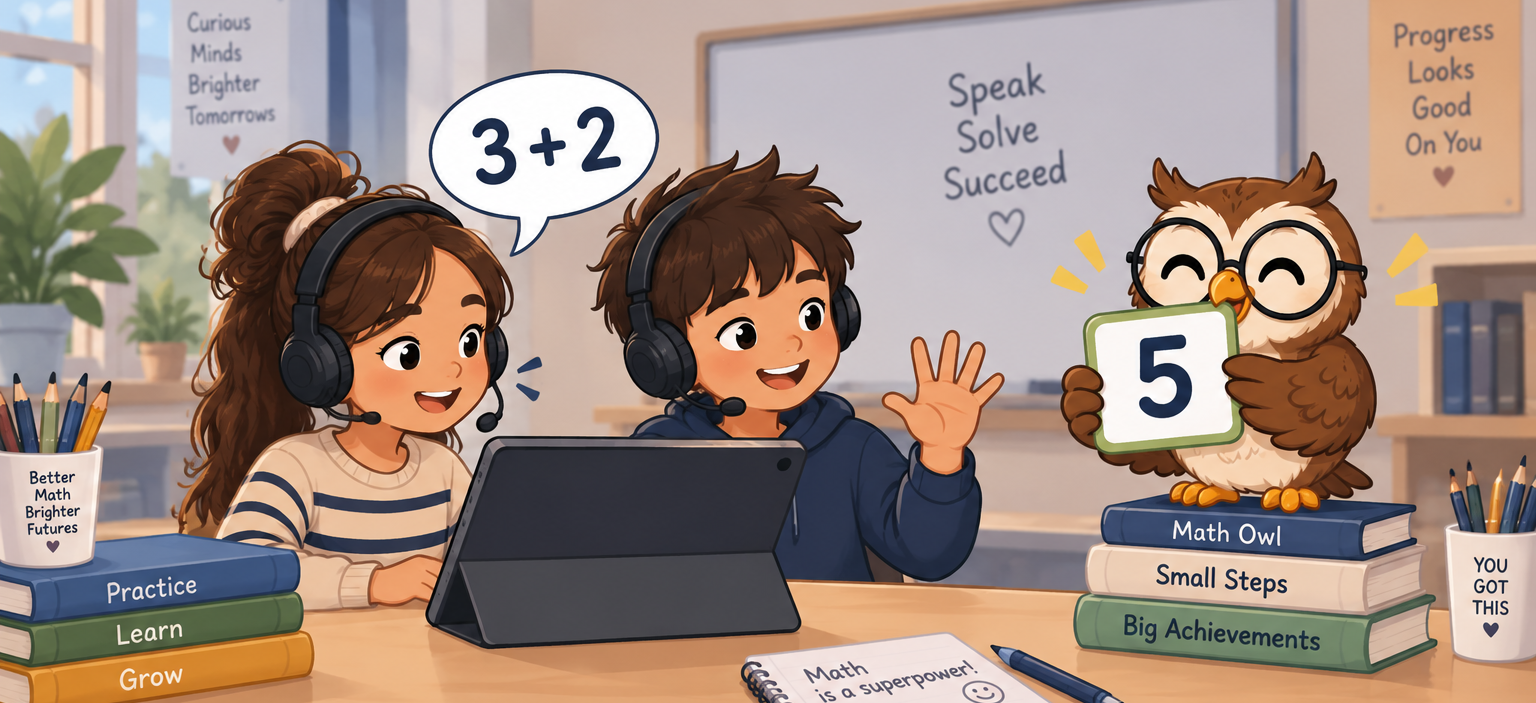
Fig. 1: "A First Encounter with AI in the Primary Maths Classroom - Speech Recognition with the 'Recheneule'" (AI-generated image, ChatGPT GPT Image 2)
Content
Young children meet artificial intelligence long before they can explain it: voice assistants at home, cameras that find faces, apps that finish their sentences. The Austrian KI-Basiscurriculum and the Ministry’s KI-Initiative both stress that AI literacy should begin early and playfully, and that it belongs as much in the primary classroom as in later grades. The Volksschule Hagenberg im Mühlkreis, a KI-Pilotschule, does exactly this: from the second grade its teachers introduce AI through games, with the digicase / DLPL project at the centre, so that children build a first, concrete sense of what these machines can and cannot do.
The "Recheneule" (the "clever calculating owl") is one of these games, and it fits the maths lesson perfectly. It uses speech recognition - a form of AI - so that a child can say a number out loud and the program tries to recognise it and use it in a calculation. The tool is deliberately simple and, as its makers note, still experimental: whether it hears correctly depends on the microphone, how clearly the child speaks, and how quiet the room is. For a seven-year-old this is not a flaw to hide but the whole lesson. When the owl shows the wrong number, the child can see with their own eyes that the clever machine did not understand — and that they, the child, still know that three plus four is seven.
This is what makes the tool valuable for teaching ABOUT AI at this age. Children are not asked to understand how speech recognition works inside; they are asked to observe it, to make it work better by speaking clearly and being close to the microphone, and to notice when it fails. In the language of the KI-Basiscurriculum, this is the first step from Verstehen (a machine is listening, not a person) to Reflektieren (it doesn’t always get it right, and I can check it). The teacher keeps the mathematics in the foreground: the point of the sum is still the sum, and the owl is a playful partner whose answers the child learns to check.
In this lesson, children predict whether the owl will hear them, try it, look at what it shows, and talk about why it sometimes gets it wrong — a simple, age-appropriate version of the predict → try → check → talk cycle used throughout these exemplars. The aim is a first, cheerful experience of AI as a useful helper that still needs a human to check it.
Lesson plan
| Phase | Time | Activity |
|
Warm-up |
8 min |
On the carpet, the teacher asks where the children have heard a machine "listen" to a voice (phone, speaker, tablet). Together they agree a simple idea: a computer can try to hear us, but it is not a person and can make mistakes. |
|
Show |
7 min |
The teacher demonstrates the "Recheneule" once on the big screen, saying a number clearly and then mumbling one, so the class sees the owl hear right and then wrong. The class guesses why. |
|
Try (pairs) |
20 min |
In pairs at a tablet with a headset, children take turns: one says a simple sum answer aloud (e.g. "three plus four" → says "seven"), the other watches what number the owl shows and ticks a smiley (heard right) or a straight face (heard wrong) on a simple sheet. |
|
Check |
8 min |
For every "heard wrong", the pair works out the right answer themselves and decides together: did the child say it wrong, or did the owl hear it wrong? They circle who made the mistake. |
|
Talk |
7 min |
Back on the carpet: What helped the owl hear us? (speak clearly, be close, be quiet). When the owl was wrong, did we still know the right answer? Who is the boss of the sum — the owl or us? |
Guiding questions: predict → try → check → talk
Pairs work through these short rounds during the "Try" phase. The wording is kept simple for the teacher to say aloud; younger or faster pairs can do more rounds.
1. Round 1 - will the owl hear me?
-
- Predict: Before you speak: do you think the owl will hear your number this time? Thumbs up or thumbs down.
- Try: Say your answer to the sum out loud, clearly, close to the microphone.
- Check: Look at the number the owl shows. Is it your number? Tick a smiley (yes) or a straight face (no).
- Talk: If it was wrong, what could we change? Speak louder? More slowly? Be quieter in the room?
2. Round 2 - who made the mistake?
-
- Predict: You know the answer to the sum in your head first. What should the owl show?
- Try: Say the answer. Watch the owl.
- Check: If the owl shows a different number, work out the sum yourselves. What is the right answer?
- Talk: Did we say it wrong, or did the owl hear it wrong? Circle the child or the owl on your sheet.
3. Round 3 (extension) - make it hard on purpose:
-
- Predict: What will happen if we whisper, or talk while a friend is talking? Will the owl still hear us?
- Try: Try it once whispering and once with a bit of noise - just to see.
- Check: Did the owl get more numbers wrong when it was harder? Count the straight faces.
- Talk: So what does the owl need from us to work well? Say it in one sentence.
Closing question (for the Talk phase): When the owl showed the wrong number, did we still know the right answer? So who has to check the sum — the computer, or us?
Follow with: The owl is clever, but it can hear wrong. Where else might a clever machine get something wrong - and what could we always do to check?
Materials
- One tablet (or computer) per pair with a working microphone; a headset per tablet is strongly recommended, as the tool’s makers note that microphone quality and a quiet room matter.
- The "Recheneule" speech-recognition maths game from the digicase / DLPL project (dlpl.at), opened in a browser; microphone access allowed.
- A big screen or projector for the teacher demonstration.
A very simple worksheet per pair: rows with a smiley / straight-face tick box and a small "child or owl?" circle for the check step. - A short list of prepared sums at the class’s level (addition and subtraction within 20), so the maths stays the focus.
A quiet corner or spaced-out seating so the speech recognition has the best chance of working.
2.9 Programming: Assistance in selected tasks
Learn to program code without AI writing code
Subject: Programming · Grade: 9 (age 14–15) · Duration: 1 double lesson (90 min) · AI: Assistance WITH AI
| AI-related competencies (DUAL.AI.TEACHer Framework) – teacher level | Subject-specific learning objectives – student/learner level |
|
AF-TL-2b (AI foundations and applications × Teaching & Learning, Level 2 – Reflective Implementation):
"Teachers can organise lesson elements that embed AI use with clear pedagogical roles and strategies to verify the output elements."
AF-FC-2b (AI foundations and applications × Facilitating Learners’ (AI) Digital Competence, Level 2 – Reflective Implementation):
"Teachers can implement guidance that helps learners develop practical AI skills, adapting the tasks to learners’ prior knowledge and the AI tools available." |
By the end of the lesson, students can:
|
Take-home message: Students need to know the basics of programming if they want to evaluate the results given by a model. So students in the first steps of learning programming must use AI models to do supportive and repetitive tasks related with programming, but not use them to produce code. They can also use the model to ask for possible improvements in the code, so students can test their programming abilities.
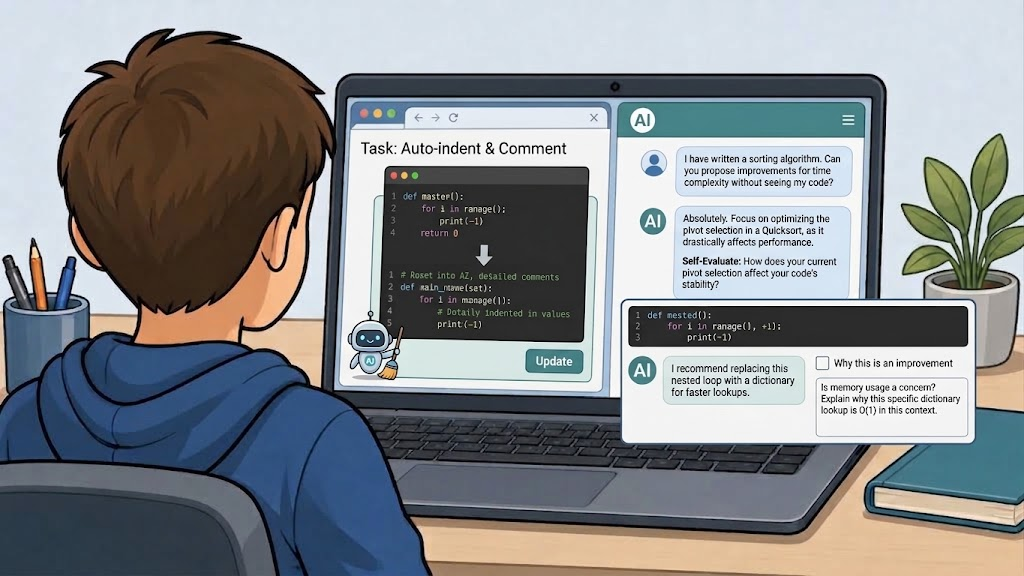
Fig. 1: "Learn to program code without AI writing code" (AI-generated image, Google Gemini 3.6 Thinking)
Content
Programming education is changing in a context where AI systems can generate, explain, and review code. While these tools offer new opportunities for learning, they also introduce an important educational challenge: students need sufficient programming knowledge to evaluate whether an AI-generated suggestion is correct, efficient, or even relevant to the task at hand. Without a basic understanding of programming concepts, students may accept incorrect solutions, overlook errors, or fail to recognise better alternatives. For this reason, learning programming fundamentals remains essential, even when AI tools are available.
In introductory programming courses, AI should be positioned as a learning support tool rather than as a substitute programmer. Students can use AI effectively for repetitive or low-level tasks that do not reduce the cognitive effort involved in learning to program. Examples include formatting and indenting code, generating documentation comments, explaining error messages, summarising syntax rules, or helping students understand the purpose of specific programming constructs. These uses allow students to focus their attention on the underlying logic, algorithms, and problem-solving processes that are central to programming competence.
Another productive use of AI is code review. Instead of asking an AI model to write a solution, students can write their own code first and then ask the model to identify potential improvements. The AI might suggest clearer variable names, better code organisation, reduced redundancy, improved readability, or alternative approaches that the student can evaluate independently. This transforms the AI into a feedback partner, allowing students to compare their own reasoning with external suggestions and assess the strengths and weaknesses of their solutions.
However, AI-generated feedback should not be accepted uncritically. Models may recommend changes that are unnecessary, inefficient, or based on incorrect assumptions about the code's purpose. A central goal of this lesson is therefore to develop students' ability to critically evaluate AI suggestions. Students will learn to ask an AI model not only what improvements it proposes, but also why it considers those changes beneficial. By comparing the model's reasoning to established programming principles, students can judge whether the proposed optimisation genuinely improves the code or merely represents a different design choice.
This lesson treats AI as a tool that supports reflection, self-assessment, and code quality improvement rather than code generation. Students practice writing their own programs, using AI to perform supportive tasks, requesting feedback on their work, and critically analysing the quality of the responses they receive. The ultimate objective is to help students become both better programmers and more informed users of AI systems.
Lesson plan
| Phase | Time | Activity |
| Introduction | 10 min | The teacher presents two short code solutions to the same problem, one written by a student and one generated by an AI model. Students discuss which solution appears clearer, more efficient, or easier to understand. |
| Input | 10 min | The teacher introduces appropriate uses of AI in programming education, emphasising the distinction between support tasks, code review, and code generation. |
| Exploration | 15 min | Students work in pairs on a small programming exercise and identify which tasks could appropriately be delegated to an AI assistant and which should remain their responsibility. |
|
Improvement Cycle |
35 min | Students write their own solution and complete 2 to 3 rounds of write → ask → evaluate → revise, using AI only for supportive tasks and improvement suggestions. |
| Reflection | 20 min | Whole-class discussion about the usefulness and limitations of AI feedback, focusing on how students determined whether suggestions were valuable or not. |
Guiding questions: layering complexity
Students work through as many rounds as time allows during the 35-minute Improvement Cycle. Each round follows the same four-step process: Write → Ask → Evaluate → Revise
- Round 1 — Using AI for Supportive Tasks
- Write: Complete a short programming exercise independently.
- Ask: Request support from the AI for a non-programming task related to the code, such as:
- improving indentation,
- generating comments,
- explaining an error message,
- describing what a function does.
- Evaluate: Does the AI explanation accurately describe the code? Are the generated comments useful and understandable?
- Revise: Incorporate any helpful changes while ensuring that the program logic remains entirely your own work.
- Round 2 — Requesting Improvement Suggestions
- Write: Review your completed program and identify parts that could potentially be improved.
- Ask: Request improvement suggestions without allowing the AI to rewrite the code. For example:
"Suggest three ways to improve this program's readability and maintainability, but do not provide replacement code."
-
- Evaluate: Which suggestions seem valuable? Which suggestions would have little impact on the program?
- Revise: Implement any improvements you agree with and test whether the program still behaves correctly.
- Round 3 — Critically Evaluating Optimisation Advice
- Write: Select a section of your code that performs a repetitive task or uses loops.
- Ask: Request optimisation suggestions and require the AI to justify its recommendations.
Example prompt:
"Explain how this code could be optimised and why each proposed optimisation would improve performance or readability. Do not provide the optimised code."
-
- Evaluate: Are the proposed optimisations actually beneficial? Which ones are supported by clear reasoning? Which ones appear unnecessary or difficult to justify?
- Revise: Decide which recommendations to implement and explain your reasoning.
Reflection Questions:
- Which AI suggestions were most useful for improving your code?
- Did the AI provide any suggestions that you disagreed with? Why?
- How did you determine whether an optimisation was worthwhile?
- When is AI most helpful during the programming process?
- Which programming tasks should still be performed by the student?
- Why is programming knowledge necessary for evaluating AI-generated feedback?
- How can students avoid becoming overly dependent on AI tools when learning programming?
Closing question (for the Reflect phase):
How much programming knowledge is necessary to determine whether an AI suggestion actually improves a program, and what risks arise when users rely on AI-generated advice without understanding the code themselves?
Materials
- One laptop per student pair with a programming environment
- Access to an AI chat assistant or locally hosted language model
- A short programming exercise appropriate to students' experience level
- A worksheet following the cycle write → ask → evaluate → revise
- Reflection questions focused on AI literacy and critical evaluation
- Optional code examples illustrating good and poor coding practices
2.10 Art: Fingerprints of Style
Whose Brush, Whose Voice? Detecting Artists' Characteristics with AI
Subject: Art & Literature · Grade: 9 (age 14–15) · Duration: 1 double lesson · AI: Learning WITH AI
| AI-related competencies (DUAL.AI.TEACHer Framework) – teacher level | Subject-specific learning objectives – student/learner level |
|
AF-TL-2b (AI foundations and applications × Teaching & Learning, Level 2 – Reflective Implementation): "Teachers can organise lesson elements that embed AI use with clear pedagogical roles and strategies to verify the output elements." AF-FC-2b (AI foundations and applications × Facilitating Learners' (AI) Digital Competence, Level 2 – Reflective Implementation): "Teachers can implement guidance that helps learners develop practical AI skills, adapting the tasks to learners’ prior knowledge and the AI tools available." |
By the end of the lesson, participants can:
|
Take-home message: Recognising a "style" is not the same as understanding it. AI can detect surface-level patterns across many works, but telling a genuine stylistic signature apart from a coincidental feature or an invented interpretation still requires human judgement grounded in real works.
Content
Art historians and literary scholars rarely have direct access to an artist's intentions. Instead, they reconstruct an artist's "style" by comparing many works: brushstroke, colour and composition in painting, or word choice, imagery and rhythm in poetry. A single painting or poem can hint at a preference, but only a pattern that recurs across several works turns that preference into a genuine characteristic.
Vincent van Gogh provides a useful case study. Over roughly a decade of intense production, he developed instantly recognisable characteristics: thick impasto, short directional brushstrokes, and bold, often complementary colour contrasts. Because these features recur across hundreds of paintings, scholars can describe them as a real stylistic signature rather than a one-off choice.
AI image tools can now generate convincing pictures "in the style of Van Gogh" in seconds. These images often reproduce recognisable surface markers — swirling brushwork, yellow-and-blue palettes — but they may also exaggerate or invent details that were never characteristic of his actual body of work, or blend in features borrowed from other artists entirely.
The same issue appears with text. AI writing tools can imitate a poet such as Emily Dickinson by reproducing surface markers — dashes, slant rhyme, short lines — without necessarily capturing the thematic and structural qualities that scholars consider genuinely characteristic of her work.
Students therefore need to distinguish between three levels of certainty:
Feature – what is directly observable in one specific work.
Pattern – a feature that recurs across several confirmed works and can reasonably be called characteristic.
Attribution – a claim about meaning, influence or authorship that goes beyond what the works themselves can support.
Lesson plan
| Phase | Time | Activity |
|
Hook |
10 min |
Show two AI-generated "in the style of Van Gogh" images — one closer to his actual technique, one exaggerated. Students guess which is more faithful and discuss why. |
|
Input |
10 min |
Introduce Feature – Pattern – Attribution and practise distinguishing them using a genuine painting detail. |
|
Exploration |
15 min |
Students study 3–4 authentic works by one artist/poet without AI and log which features actually recur. |
|
Adaptation 1 |
20 min |
AI writes a style description from a single work or limited prompt. Students identify where it invents unsupported characteristics. |
|
Adaptation 2 |
20 min |
More works and a stricter, source-citing prompt are added. Students compare the two style descriptions. |
|
Reflection |
25 min |
Students transfer the same critical-thinking framework to a contested art-authentication or attribution case. |
Guiding questions: from AI output to classroom-ready activity
- Hook — Show two AI-generated "in the style of Van Gogh" images (one closer to his real technique, one exaggerated/stereotyped):
- Discussion question: "What makes this look like a real Van Gogh?"
- Introduce the problem: "How do we know which stylistic details are actually characteristic of this artist?" Key principle for this lesson (comparing multiple authentic works)
- Observable feature → recurring pattern → attribution/interpretation
- Input — Close look at a genuine work (e.g. a detail from The Starry Night or a stanza of a Dickinson poem):
- Provide statements about the work that need to be categorised into feature, pattern, attribution. Example:
- Short, choppy brushstrokes are visible in this painting – feature
- Van Gogh regularly used short, directional brushstrokes across his late works – pattern
- He used these brushstrokes to express his inner emotional turmoil – attribution
- Exploration — Group work. Analysing authentic works:
3–4 works by the same artist/poet, e.g.:
A) Two or three reproductions of paintings from the same period of the artist's career.
B) Close-up/detail images showing brushwork or handwriting.
C) Short technique or biography notes from a museum or literary source.
D) A contrasting work by a different artist or poet, for comparison.
Students fill out a worksheet for each work by answering: What features do we observe? What patterns recur across the works? What is still just our interpretation?
- AI writes a style description:
Prompt used by students: Based only on this one image/poem, describe the artist's characteristic style in approximately 150 words. Only mention features that are actually visible or present in the work.
Students annotate the AI response:
- Feature
- Reasonable pattern
- Unsupported / attribution
- AI revises its work using more evidence:
Improved prompt: Revise the style description using Sources A–D. After every stylistic claim, cite the specific work that supports it, for example [Work B]. If a claim is a broader pattern inferred from several works, write [Pattern]. Remove any claim that cannot be supported.
Compare:
Version 1 → Version 2
Find:
- one detail that became more precise;
- one detail AI removed;
- one new feature supported by evidence;
- one claim that still needs questioning.
- Reflection/Transfer of knowledge
Show a short, classroom-appropriate example of a contested art-authentication or poem-attribution case.
Discussion question:
- Based on the key principles from this lesson, what stands out as feature, pattern, attribution?
- If an AI-generated pastiche successfully imitates the surface of a style, does that mean it has captured the artist's actual characteristics?
Final individual reflection:
Students complete:
- A stylistic feature becomes a real "characteristic" when…
- Before trusting an AI's description of an artist's style, I should…
- AI can imitate the surface of a style, but…
Materials
- Projector/interactive whiteboard with speakers.
- Two AI-generated "in the style of …" images for the hook.
- Detail image or excerpt from a genuine work by the chosen artist/poet.
- Feature–Pattern–Attribution mini worksheet.
- Source pack: 3–4 authentic works (images/poem texts) plus short technique or biography notes.
- Source-analysis worksheet.
- Student devices with access to an approved generative AI tool (text and/or image).
- AI prompt and comparison worksheets for Rounds 1 and 2.
- Example of a contested authentication/attribution case for the reflection.
2.11 Engineering: Trust, but Verify the Circuit
Does It Actually Work? Checking AI's Circuit Explanations Against Real Measurements
Subject: Physics / Technology (Basic Engineering) · Grade: 8 (age 13–14) · Duration: 1 double lesson · AI: Learning WITH AI
| AI-related competencies (DUAL.AI.TEACHer Framework) – teacher level | Subject-specific learning objectives – student/learner level |
|
AF-TL-2b (AI foundations and applications × Teaching & Learning, Level 2 – Reflective Implementation): "Teachers can organise lesson elements that embed AI use with clear pedagogical roles and strategies to verify the output elements." AF-FC-2b (AI foundations and applications × Facilitating Learners' (AI) Digital Competence, Level 2 – Reflective Implementation): "Teachers can implement guidance that helps learners develop practical AI skills, adapting the tasks to learners’ prior knowledge and the AI tools available." |
By the end of the lesson, participants can:
|
Take-home message: An AI explanation of a circuit can sound completely confident and still be wrong. The only way to know whether a circuit actually behaves as claimed is to measure it and check the numbers against the underlying physics — not to trust confident-sounding text.
Content
Engineers and physicists never simply trust a circuit diagram or a written explanation of how a circuit works. Instead, they build it, measure it, and calculate the expected values from first principles — Ohm's Law and Kirchhoff's laws. A diagram can look entirely correct on paper, but only a real measurement confirms whether current actually flows the way it is claimed to.
A simple series circuit — a battery, a resistor and an LED — provides a useful case study. Ohm's Law (V = I × R) predicts exactly how much current should flow for a given voltage and resistance. Because the components' real-world behaviour can vary slightly (tolerance, internal resistance, temperature), the measured current is usually close to, but not always identical to, the calculated prediction — which is itself a useful lesson in the difference between a model and reality.
AI tools can now generate circuit diagrams and explanations of circuit behaviour in seconds. These explanations often sound fluent and confident, and may even include a full Ohm's Law calculation — but they can also contain real errors: an incorrect resistor value, a broken or incomplete loop, a component connected with the wrong polarity, or a plausible-sounding but physically impossible claim about current flow.
This is a well-documented weak spot: language models are not calculators, and they can produce technical-sounding explanations that do not hold up when a circuit is actually built and tested. A confident tone is not evidence that a technical claim is correct.
Students therefore need to distinguish between three levels of certainty:
Measurement – the value a multimeter actually reads on the real, built circuit.
Calculation – the value predicted from Ohm's/Kirchhoff's laws using the known component values.
Claim – what an AI tool states about the circuit's behaviour, which must be checked against the other two before it can be trusted.
Lesson plan
| Phase | Time | Activity |
|
Hook |
10 min |
Show an AI-generated explanation of a simple LED circuit that contains a hidden error (e.g. a wrong resistor value). Students guess whether it is correct and why. |
|
Input |
10 min |
Introduce Measurement – Calculation – Claim and practise Ohm's Law on a simple worked example. |
|
Exploration |
15 min |
Students build a simple series circuit on a breadboard and measure voltage, current and resistance without AI. |
|
Adaptation 1 |
20 min |
AI predicts/explains the circuit's behaviour from a diagram or description alone. Students compare its claims to their own measurements and calculations. |
|
Adaptation 2 |
20 min |
Students give AI exact component values and require a step-by-step Ohm's Law calculation. They compare the two AI responses. |
|
Reflection |
25 min |
Students transfer the same verification habit to another domain, such as an AI fitness or health calculator. |
Guiding questions: from AI output to classroom-ready activity
- Hook — Show an AI-generated explanation of a simple LED circuit containing a hidden error (e.g. a resistor value too low to protect the LED):
- Discussion question: "Does this explanation sound correct? How would we actually check?"
- Introduce the problem: "An explanation can sound confident and still be wrong — what would prove it right or wrong?" Key principle for this lesson (measurement over confident wording)
- Measurement → calculation → claim (to be checked)
- Input — Worked example with a simple series circuit (battery, resistor, LED):
- Provide statements about the circuit that need to be categorised into measurement, calculation, claim. Example:
- The multimeter reads 9 mA of current through the circuit – measurement
- Ohm's Law predicts 9.1 mA for these component values – calculation
- The AI states that this circuit "will work reliably in any configuration" – claim (to verify)
- Exploration — Group work. Building and measuring a real circuit:
Materials and steps for each group, e.g.:
A) A circuit diagram showing a battery, one resistor and one LED in series.
B) A breadboard, jumper wires and the listed components.
C) A multimeter and a short reference sheet on how to measure voltage, current and resistance.
D) A resistor colour-code chart and the LED's forward-voltage rating.
Students fill out a worksheet answering: What do we measure? What does Ohm's Law predict? Where do the two differ, and by how much?
- AI predicts/explains the circuit:
Prompt used by students: Given a circuit with a 9V battery, a 470Ω resistor and a red LED in series, explain how much current will flow and why. Show your reasoning.
Students annotate the AI response:
- Matches our measurement
- Matches our calculation
- Unsupported / needs checking
- AI revises its work using stricter requirements:
Improved prompt: Recalculate the current step by step using Ohm's Law, showing the formula and each substituted value. State any assumptions you make about the LED's forward voltage drop, and flag anything that would need to be measured to confirm.
Compare:
Version 1 → Version 2
Find:
- one figure that became more precise;
- one assumption AI made explicit;
- one value that now matches your measurement;
- one claim that still needs independent checking.
- Reflection/Transfer of knowledge
Show a short, classroom-appropriate example of an AI-generated fitness, nutrition or health calculation (e.g. "your recommended daily calorie intake is…").
Discussion question:
- Based on the key principles from this lesson, what here is a measurement, a calculation, and a claim?
- If an AI answer sounds confident and uses correct-looking formulas, does that mean the result is trustworthy?
Final individual reflection:
Students complete:
- A technical claim becomes trustworthy when…
- Before trusting an AI's explanation of how something works, I should…
- AI can sound confident about a technical process, but…
Materials
- Projector/interactive whiteboard.
- Breadboards, jumper wires, resistors, LEDs and battery packs (one set per group).
- Multimeters (one per group).
- Resistor colour-code chart and LED forward-voltage reference sheet.
- Measurement–Calculation–Claim mini worksheet.
- Circuit diagram worksheet and source-analysis worksheet.
- An AI-generated circuit explanation containing a deliberate error, for the hook.
- Student devices with access to an approved generative AI tool.
- AI prompt and comparison worksheets for Rounds 1 and 2.
- Example of an AI-generated fitness/health calculation for the reflection.